














Qrew EXCLUSIVE: 50% Off Camp Quickbase 🏕️
Community categories
Recently active
🎓 Hello Qrew! We’re back with our August Certification Wins, where we proudly spotlight the amazing individuals in our community who’ve earned Quickbase Certifications this past month! Each certification is a reflection of your effort, curiosity, and commitment to building smarter. Whether you’re just starting or mastering advanced skills, this space celebrates YOU. 🙌 🏅Certified In August🏅 vivekvishwanathTCIAdministrado ScottHunter PatSwart MicheleWanko MeghanEdleman MegCuddihee1 John_PerkinsJessR JacobMelvold Ing__Gerardo_Je hueyal EtienneVallee ErinBauer DonnaWham BhrugeshRathod1 AllisonP Evan ShyamKumarGupta ScottHunter LeilaZheng JonathanOh hueyal vivekvishwanath ErinBauer dhermes BhrugeshRathod1 AndrewC Evan ShyamKumarGuptaBhrugeshRathod1vivekvishwanath Evan &nb
I have a formula button whose intended purpose is to check a box on the record (to start a pipeline) then redirect to a code page that is coded to pause, then check if a status field has changed, if not, pause again. If the field is changed it returns the user to the form originally launched from.I'm trying to cobble together different posts/search results as I haven't been able to find any direct examples of my need.This formula works to open the code page and passes the correct parameters for checking the status, but it doesn't check the box and thus the pipeline never runs and the page never closes.var text codePageID = "6"; // Replace with your actual code page IDvar text recordID = ToText([Record ID#]);var text currentStatus = URLEncode([Charges Pipeline Status]); // Replace with your field's namevar text url = URLRoot() & "db/" & AppID() & "?a=dbpage&pageid=" & $codePageID & "&rid=" & $recordID & "&initialStatus=" & $currentStatus;"<
I wanted to know is it possible to create a url that can be shared with another application that uses http as a connector, that will allow it to post to QuickBase creating a new record. If so, what would the format be?
Hi Qrew! Here’s what’s happening this week across Quickbase and the Qrew the week of September 21st: Pipelines Virtual Qrew MeetupWednesday, September 24th @ 12pm EDT Join Rob Mersereau, Sr. Technical Consultant, for a live demo on integrating Google Calendar with Quickbase to automate event tracking via Pipelines and see how this workflow saves time and boosts efficiency. Register here for the meetup! Portland Qrew MeetupWednesday, Sept 24, 3–4pm PDT @ Harder Mechanical Contractors EstherLaVielle be there to give out the golden ticket to a lucky winner! Go to the Portland Qrew page to connect with the Qrew leader, Jim Harrison. Atlanta QrewThursday, Sept 25, 4–8pm EDT @ Topgolf MidtownKickoff the launch of our newest Qrew group with some golf, product updates, and networking opportunities. Register to join here. No office hours this week. Starting October 2nd, Office Hours will be hosted Tuesdays and Thursdays at 1pm EST until Sam
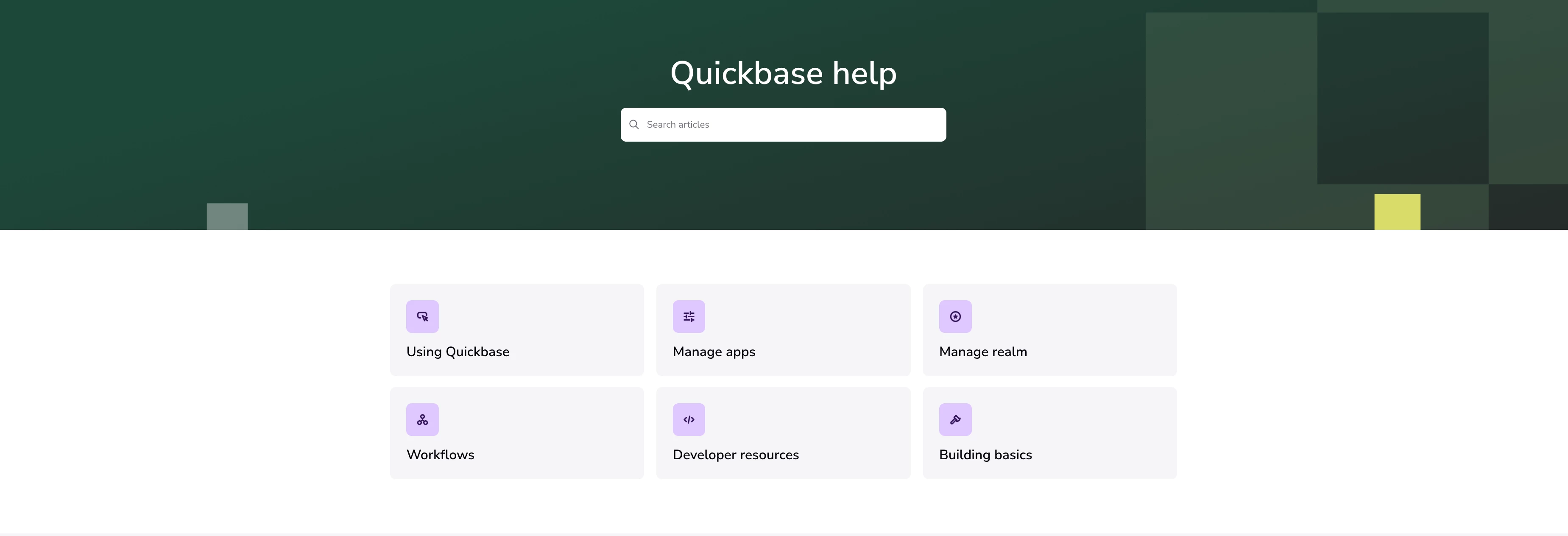
Have you been to the Quickbase help center lately? If not, we can't totally blame you... That's why we made some updates to deliver a fresh experience. Head back to check out its new look—along with better tools to help you find the answers you need faster. The updated platform comes with several key improvements: Redesigned home page Improved search Easier navigation Don't worry, none of our articles have moved, and your links and bookmarks still work. We've just enhanced the way you find these resources. Here's what's new: Redesigned home page The new help is designed to guide you down the right path in your Quickbase journey. This includes: 6 clear categories of articlesQuick links for popular and new articlesEasy-to-follow paths for getting started Links to other helpful resources Improved search When searching in the new help center, you'll notice more context up front—helping you choose the best article right away. As you type each letter, relevant articles begin to su
Hey there. I'm trying to build a form that would be used during interviews with customers that represent ISPs or "networks." Each customer would be a new Network and that Network can have many Communities, Activities, Statistics, or Payments Plans associated with it. I'm running into several issues:When a network is new at the start of the interview, a record will not exist yet, so there cannot be a recordID yet. So, let's say an Interviewer enters information for Network X on page 1, then moves to page 2 to enter Communities affiliated with Network X. They would hit on the "Add Community" button page 2. A pop up opens but there isn't a network affiliated with the new Community record. I'm pretty sure I can get around this by making a rule or a button that forces the Network entry to be saved before moving to page 2. But I can't find a conclusive way to make a Save and Keep Working button and the default button is hidden at the end of the form. Let's say I save the network before
Hi everyone, and welcome to the Philadelphia Qrew space! We're so excited to have you here. This is your space to connect, share ideas, and help shape what our local meetups look like moving forward. Thank you to everyone who joined us for our first Philly Qrew meetup on the 18th. And a special thank you to Laura Natal, our Qrew leaders, for helping make it such a great kickoff! Looking ahead, our next meetup will take place virtually on October 16th, and we'd love to see you there. Please be sure to register here. We'll be discussing our next in-person event, so bring your ideas and availability. Looking forward to connecting with you all! Dee, Qrew Coach
I have the following Code page. I have successful code where the user inputs data into 2 fields and QuickBase data is returned. However, where I am struggling is instead of data being returned, a report being returned ideally or I have a formula URL field that can be returned but needs to be an iframe.<!DOCTYPE html><html><head> <title>Quickbase Data Retriever</title></head><body> <label for="inputField">Enter Record ID or Search Term:</label><br> <input type="text" id="inputField"><br><br> <button id="retrieveButton">Retrieve Data</button> <div id="result"></div><script>document.getElementById('retrieveButton').addEventListener('click', function() { const inputValue = document.getElementById('inputField').value; const appDbId = 'XXXXXXXXXXX'; /
Hi,I have the following Code page. Basically I want the user to enter in text and search. Then the result finds their input and matches with field id 256 and return field id 29. I will replace anything with a "XXXX". When the user searches they get "Target field not found in response." instead of the value. For knowledge the user should enter in "mickey.mouse" and 256 holds that value :When i simply put this in the URL I do get a response:https://XXXXX-XXXXX.quickbase.com/db/XXXXXX?a=API_DoQuery&query={%27256%27.EX.%27mickey.mouse%27}&clist=29Thank you so much for helping me!<!DOCTYPE html><html><head> <title>Quickbase Data Retriever</title></head><body> <label for="inputField">Enter Record ID or Search Term:</label><br> <input type="text" id="inputField"><br><br> <button id="retrieveButton">Retrieve Data</butto
Hello, Is it possible for me to transfer quantity data on one record to another record? As an example, Record A has 10 laptops. Record B has 5 laptops. I would like to transfer 2 laptops from Record A to Record B. I've tried different methods, but I keep hitting a wall.
Is there an easy way to accomplish this?Say as an example:Table1 - LEAD_NAME, PHONE, CONTACT_NAMETable2 - LEAD_NAME, CALL_DATE, NOTESTable1 can link to many Table2If I create an xlsx sheet with all the relevant fields, can I do a mass import of leads and or calls (together) with a single upload? Or two uploads might make more sense so it doesn't duplicate leads? LEAD1, 555-555-5555, Bob, 09/17/2025,"Good Call"LEAD1, 555-555-5555, Bob, 09/17/2025,"Bad Call" I am curious how the linking would work here. I assume a pipeline might be needed? but before going down that path I wanted to see if I am overlooking an easier way.
Hello,I have a Formula Text that calculates and displays data based on the numbers users enter in two other numeric fields. Example: When a user enters a number in my Numerator and Denominator fields, my formula field divides those numbers and then displays the answer in the Percentage field (as shown in the screenshot below).Is there a way to format the answer to two (2) decimal places, so it's shown as something like 7.33 and not 7.3333333 ? Please let me know.See the code I used for my formula field below:var Number Numerator = [Numerator] ;var Number Denominator = [Denominator] ;ToText(($Numerator / $Denominator) & " %")
I have many forms using the old form builder with "On Record Save" rules built to update a field value when a user saves a new record. Very simple in the old form rule builder interface. I am building a new form in the new form builder interface and am trying to create an On Record Save rule but can't see how to do this. Any help would be much appreciated.My rule is pretty simple, When the user saves the record change a field value to "x" on save.Thanks - Brian
I am using the formula below for a duration TAT. I have checked off the HH:MM:SS for the type and it is still displaying 0:00:00 for things that are one hour from rec'd to acknowledged time enteredDays(WeekdaySub(ToDate([Acknowledgment Date/Time]),ToDate([Communication Received Date/Time]))) Do you have any suggestions on how to get the TAT to display accurately?Thank youJill
Is there any way to create placeholders for users intentionally?
I am working on connecting MethodCRM to Quickbase so that I can pull field data from a MethodCRM form and replicate it in a Quickbase form. I have attached images showing my current pipeline setup. The challenge is building the URL for retrieving records. Right now, the URL will pull the first 100 records from MethodCRM, but I have to manually change the URL to get the next batch of records. Example: rest.method.me/api/v1/tables/Contacts?skip=10&top=10This works, but after pulling the first 10 records, I want the pipeline to automatically update so the next run changes top=10 to top=20 (and so on), allowing the pipeline to continue pulling subsequent batches without manual edits.
Hi everyone,I’ve created a “Copy Line Item” button that is supposed to create a new record and prefill it with the same values selected by the user in the original record.The button works, but I’m running into an issue: the following fields are not being prefilled when the new record is created:[Related Trademark][Related Beverage Type][Related Package]All three of these fields are text field types, populated through relationships from their parent tables. The values that show up in them are alphanumeric (e.g., A1, B1, C700, etc.), and they are key fields in their respective tables.For some reason, when I click the button, these related fields don’t carry over into the new record. Has anyone run into this issue before, or know how to get these relationship-based fields to prefill correctly? For reference the code is in the attachment section. var text nonNational = URLRoot() & "db/" & [_DBID_PR_LINE_ITEMS] & "?a=API_GenAddRecordForm&dfid=22&_fid_13="
I'm building a Quickbase Pipeline that triggers on an incoming webhook request containing a JSON array. I want to loop through each record in that array and create a new entry in a Webhook table. What would be the correct JSON URL format for accessing the incoming request data via the webhook?
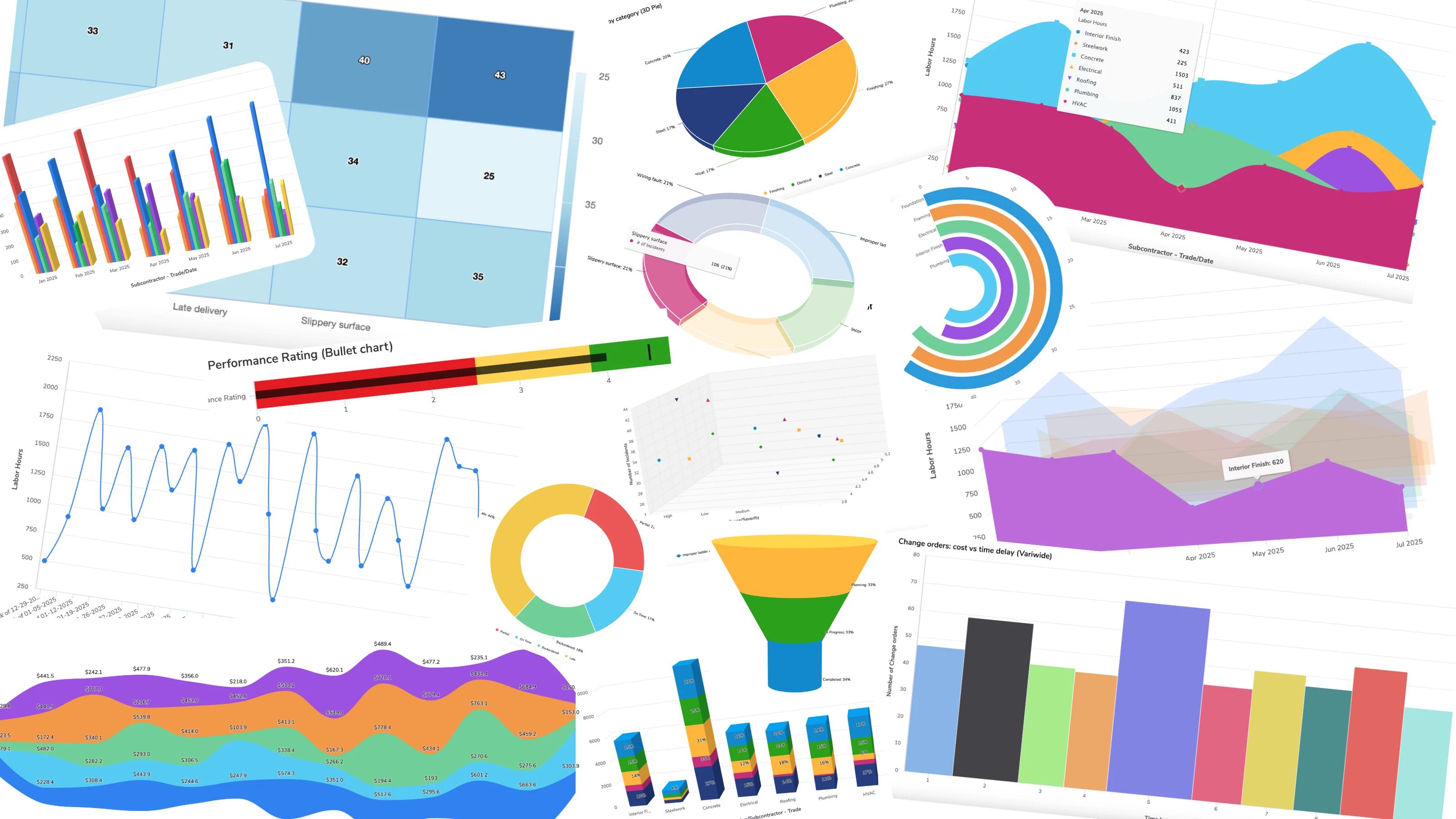
Quickbase helps you unite scattered information into one place, giving you complete visibility across your workflows. That means faster, more informed decisions. Visualizing your data with charts supports that decision-making, telling the story of where you’re winning and where you need to focus your attention to stay on track. Historically, Quickbase has offered thirteen chart types, including bar, pie, and gauge. Generally available to all customers now, we’re adding 15 new types of charts to help you tell even better stories with your data, and show off the great work your team is doing. Heatmap A heatmap is an effective way to visualize patterns and trends across large data sets. It uses color intensity to represent value, making it easy to identify spikes, clusters, or outliers at a glance. For example, when tracking safety incidents across multiple sites, darker shades can quickly highlight areas that require attention, enabling faster and more informed decisions. Radial bar
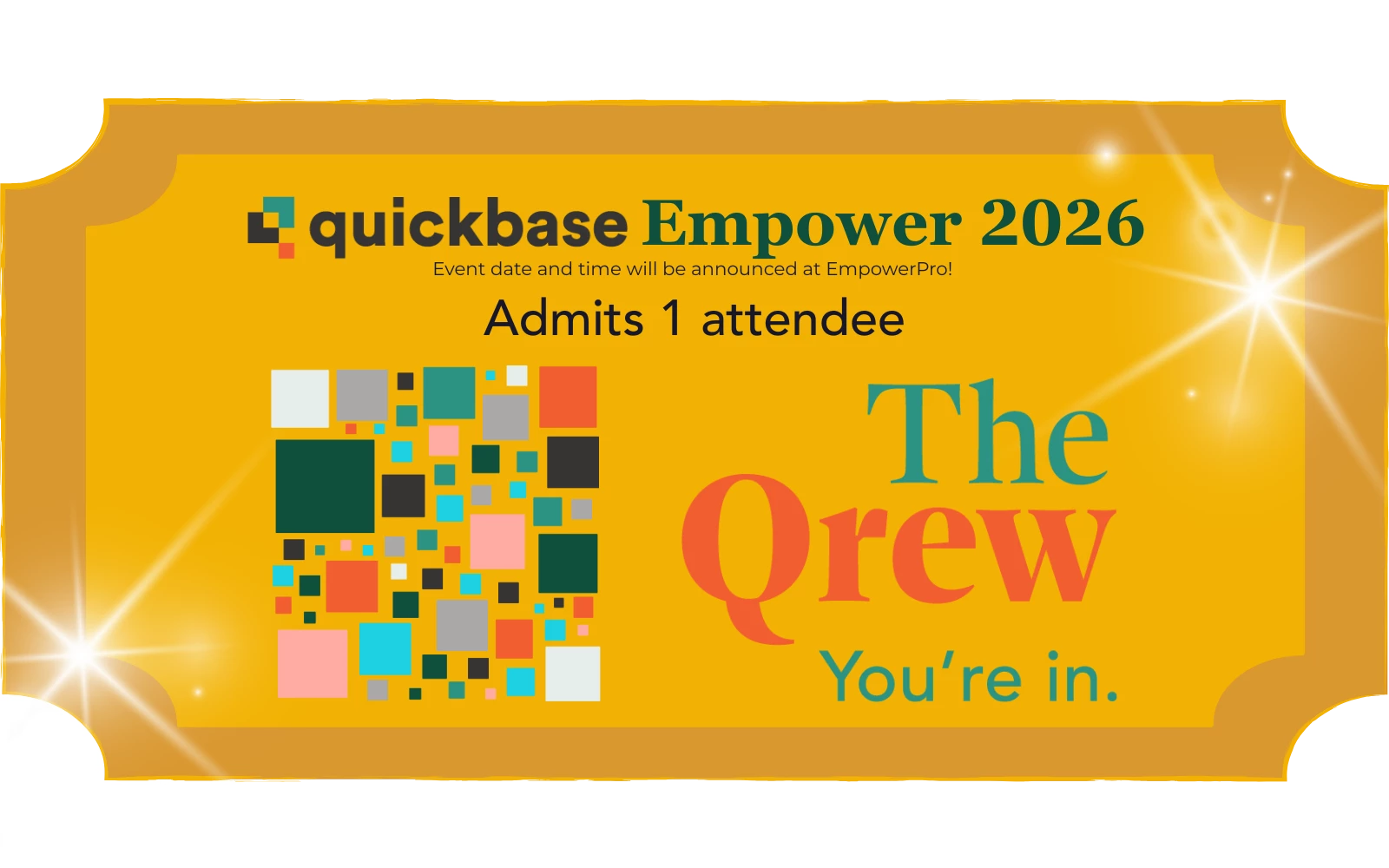
Join us for some good company with your local Quickbase Qrew! ✨ Product Roadmap discussion and deep dive!✨ Share use-cases and pro-tips with other Quickbase pros✨ Expand your Philly/Quickbase professional Network Attendees will have an exclusive chance to win a FREE all-access pass to Empower 2026! ⏰ Thursday, Sept 18th @ 3:30 - 5:00PM ET 📍 One Penn Center 1617 JFK Blvd, 20th floor, Market Room 🎟️ Free, refreshments provided
Hi Qrew! No virtual events this week, but we do have some exciting in-person meetups and activities you can look forward to this week: Boston Qrew Meetup Wednesday, September 17, 4:00–6:00pm EDT @ MIT — Feature overview with Alice Rich, Sr. Manager – Product Management. Join the Boston area Qrew, share your workflows, and connect with local app builders. Philadelphia Qrew MeetupThursday, September 18, 3:00–5:00pm EDT @ One Penn Center — Join launch of the Philly Qrew! We’ll be hosting a product roadmap deep dive with Quickbase experts, networking, and sharing pro tips. Registration for EmpowerPro 2025Oct 7–8 (virtual)is open! Save your spot to attend this fall event. In-person Qrew Golden Ticket Raffle: Attend an in-person Qrew meetup (Boston, Philadelphia, Atlanta, or Portland) for a chance to win free Empower 2026 registration! Check out the events page for more current event details. What's ahead for rest of September: Portland in-person Qrew Meetup (9/2
Please help write a formula to take estimated hours time different frequencies (daily, weekly, monthly) and calculate monthly hours.I currently have box for estimated hours, and radio buttons for different frequencies (daily, weekly, monthly, quarterly, yearly).
Has anyone ever been able to auto fill and submit a form assembly form from a QuickBase pipeline? Mine would be from an on update or on add event from QuickBase.If so, do you have some good instructions. I've been looking around and tried some things but get a error a 405 error.Thanks.
I have 3 tables in my Quickbase App,Assignments (PhoneNum is key),Member (PhoneNum_MbrID is key but has PhoneNum field),Calls (Record Id is key but has PhoneNum)Assignments is connected to Member (one to many)Assignments is connected to Calls (one to many)I have to create a table report from Calls table and pull all member table data. How can I achieve this? Please help.
I just tried adding an iCalendar field to a form and after saving the form the field itself shows like an empty field and when I hover over it a message pops up that says "Fields with shortKey=IC are not supported yet". I haven't used one of these fields in a long time, am I doing something wrong or are those still a work in process on the new forms?
Already have an account? Login
Enter your E-mail address. We'll send you an e-mail with instructions to reset your password.