

















Qrew EXCLUSIVE: 50% Off Camp Quickbase 🏕️
Community categories
Recently active
Hi all,I want to use a gauge chart the displays the number of records that contain the letter 'R' as part of a string of in a 'Job Number' field, out of the total number of records in the table.Typically a job number field value would be in the format of 00000_00, or 00000_A0, or 00000_R00. With R denoting revised.I've tried using a query report formula, but whilst it's a valid formula attempt, it displays 0. The total number of records for the gauge var text QUERY = "{6.EX." & Contains([Job Number], "R") & "}"; Size( GetRecords($QUERY))My logic to the above is that its querying the data table, for job number field (ID 6) to see if it contains a string with an 'R' in it, and if so count the total number of true records.Any ideas?It would be awesome if the gauge can be coloured to show the revised element in red, but the remainder of the gauge in green. But I really think that's beyond the limits of what is possible. However, if anyone has an idea how this could be acco
📅 What’s Happening and When? We’re launching a new Quickbase University experience on Monday, July 14th! 🤔 Why the Change?You spoke. We listened. The current Quickbase University hasn’t fully delivered the learning experience you deserve. So, we’re making bold improvements—from modernized courses to smarter certifications—to help you learn faster, earn recognition sooner, and showcase your Quickbase expertise with confidence. This is more than an upgrade—it’s a whole new way to grow with Quickbase. Here's how this transformation will revolutionize your Quickbase learning journey: 🎓 Next-Level Learning for Next-Level Builders Our enhanced learning platform is: Intuitive & Engaging New and improved courses with fresh, relevant content Intuitive navigation that gets you to content faster Improved search capabilities to find exactly what you need Advanced progress tracking with detailed analytics to monitor your growth Personalized & Efficient Personalized learning pat
Hi,I have a pipeline that I'm using the bulk upsert steps for. Essentially, I'm just copying data from one table to another table and I need to do this bi-weekly. It's my first time using this bulk upsert and now I see there is a 250 field limit. Is there any way around this limit? I checked online and the solution seems to be to using a helper table, I'm not sure how to do this. I only have about 400 fields so I don't want to do that if unnecessary. I also saw something about a loop but I don't know how to do this either. What's the best way to go about this?I have the following steps in my pipeline:Prepare bulk record upsert Search RecordsIn Loop: Add a bulk upsert row - End loopCommit upsert
I have Table A and Table B. I would like to create a Report Link in Table A, which returns multiple records from Table B.In Table A, I have a text field called AllDataPoints with value:189-261 ; 189-21 ; 189-101(It was originally a summary field of combined text, i.e., multi-select text, so I can play around with the delimiters and such.)Table B has a field called MatchID (text). I want the Report Link to return 3 records from Table B -- the record with MatchID equal to 189-261, the record with MatchID equal to 189-21, and the record with MatchID equal to 189-101. In other words, I want records where MatchID is contained within AllDataPoints.I tried changing Value Matching to contains and wildcard. My guess is that it would work if values in A were substrings of values in B, but I want it the other way around -- return records where B is a substring of A.Any ideas? Thanks.
Greetings,I have been searching and experimenting for some time now. I have given up and decided to try posting, as everything I have found is not working so far. I have a dashboard that I would like to add a button to. The button is intended to make an API_AddRecord call and then return to the dashboard. I can get the API_AddRecord URL together and it works as intended. The desired record will be added successfully. I have the URL to bring up the dashboard as well. What I can't get to work putting them both in a formula URL that will return the page to the dashboard after the call is made. Can someone give me the structure for how this is to work? Thank you in advance for any input / direction you can provide.James
A lot of automation occurs in our application using imports. Most times it is an import from and to the same table to update content based on conditions.Problem: if you create a copy of an application, it appears that all the imports still point back to the original application name and tables. It would be simple enough if we could simply update the import target application name and have all the configurations update, but when you change the app name and select the table, all the import configs get lost, so you basically have to rebuild them all from scratch, risking potential human error. Does anyone have a known method out there for updating imports when copying an app?
Hi, I am having a Formula Rich-text button in Table report.But that is always enabled, even in view mode. How can I disable/deactivate in View mode?
🎓 Hello Qrew! We’re back with the June edition of Certification Wins, where we proudly spotlight the amazing individuals in our community who’ve earned Quickbase certifications this May! 🌟 Each certification is a reflection of your effort, curiosity, and commitment to building smarter. Whether you’re just starting or mastering advanced skills, this space celebrates YOU. 🙌 🏅Certified In May🏅 🟨App Foundations 🟧 App Builder 🟩 Expert Builder KCabreira JoseEnrique JosieReyes CynthiaGiguere cpansewicz LADISLAVGALBAVY ptiwari083 SamuelThomas ValiMasca1 CJSprague Kamal anagalingam EdH cpansewicz MihirMulloth RaviShankar1Kamal EdH 💡 Each name above represents hours of learning, practice, and persistence. Congratulations to all our achievers! 🌟 Featured Shoutout 🌟 🎉 This month’s spotlight goes to EdH 🎉A $25 gift card is heading your way — congrats! 📣 Join
After working with QuickBase Pipelines for years, one thing is clear: Every real-world use case is unique, from API limits and Jinja logic quirks to race conditions or silent failures. That’s why I believe we need more shared knowledge and real-time collaboration around building smarter Pipelines.What I’ve learned:Pipelines are incredibly powerful but not always intuitive.The best solutions often come from hands-on trial, error, and teamwork.Every failure teaches us something about logic, structure, or scalabilityWhat I’ve learned:Share lessons from the fieldExplore patterns that reduce manual tasks outside the systemLet’s learn by doing — together.#QuickBase #Pipelines #Automation #LowCode #WorkflowAutomation #NoCodeDevelopment #QuickBaseCommunity #APIIntegration #ProblemSolving
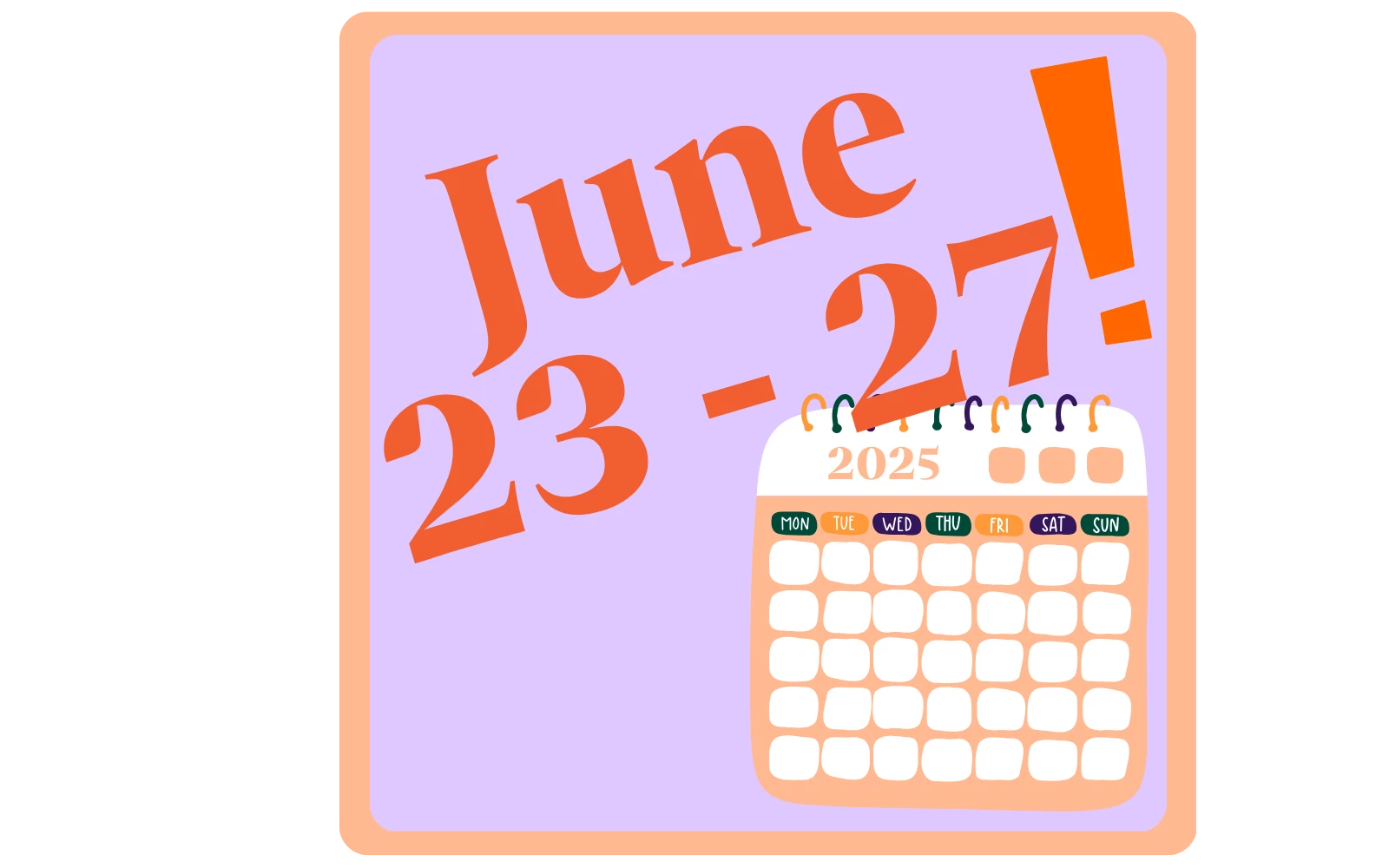
Tuesday, June 24 – Code Pages Qrew Meetup | 12:00–1:00 pm EDT We’ll kick things off with a quick intro to code pages, share some handy tips, and walk through real-world examples from both customers and our own Quickbase experts. Great chance to get inspired and see what’s possible with code pages. Register for the meetup using the link above. Wednesday, June 25 – Pipelines Qrew Meetup | 12:00–1:00 pm EDT Wes McAda from Versar Global Solutions is back with an enhanced version of his Empower 2025 talk. He’ll dive into using Pipelines with Everyone-on-the-Internet apps, including secure links, cascading permissions, and the latest on document security. Register for the meetup using the link above. ⚾Heads up!🧢 We’re taking a little break the week of June 30—no Qrew events that week. We’ll be back with more Monday updates and meetups starting July 7. See you there!
Quick Update: Doc Creation via the Quickbase Pipeline Channel is being pulled from this release to give our team time to look into an issue, please refer to our future release notes for when it will be released. If you weren’t able to join our June Feature Focus webinar live, you can still watch it on-demand here. Pipelines With the new Pipelines error notification emails can we suppress automatic emails to the Realm Owner/Admins? · Currently there is not a way to pick who among your realm admins receive this email, it will go to all realm admins to assure they are getting notified of technical issues. If this is something you have a need for in your organization, we recommend adding it as product feedback. Will the document be saved to a file attachment field? (Pipelines Doc Creation Step)· Our Document Creation step for Pipelines has been pulled from this release, we are working on an issue with it that meant we needed to pause on releasing it right now. Can
I have a drop down field that allows user to create new options, but I'd like to prevent people from adding any options with a specific key word. I thought I could accomplish this with a formula field that would just check if the drop-down field contained the key word. The problem I've run into is that it seems the formula fields are reading the new option as '_other' rather than what has been entered. I assume that is the placeholder that's used because the new option doesn't actually get saved to the drop-down field options list until the record is saved, but I cannot think of an alternative way to validate the field because of this issue. Here was my formula, just for reference: If( Contains([field],"Keyword"), Case([field], "Valid Option with Keyword",false, "Other Valid Option with Keyword",false, true), false)
I am trying to filter a report and am struggling to get the inverse of the if/then to show properly.I have tested the 'equal to' formula and it is working properly. i.e. I set a filter to be equal to that word so it only pulls records with that word in the field I am referencing.However, if I want the inverse of that report. i.e. I want all the records that do not contain that word to pull on the report however the inverse which I believe should just be switching the 'equal to' to 'not equal to' is not filtering the report at all. even though I have told the report to show me words not equal to the value I've entered are still pulling to the report. I can make a work around with multiple 'equal to' lines. I just believe that selecting the inverse of equal to should pull the records properly. TIA,Kbarry
We’re officially winding down the Qrew Champions program online hub, which will close on June 27, 2025. This decision wasn’t made lightly, but it gives us space to explore new ways of connecting with and celebrating our amazing customers—like you. What was the Qrew Champions Program Hub? Qrew Champions online hub was a space where members could complete challenges, share their stories, participate in surveys, and connect with others while earning rewards along the way. We’re incredibly grateful to everyone who participated and helped make it a vibrant community and fun experience. What’s next? While the program hub is closing, you can still connect with fellow customers, ask questions, and share best practices here in Qrew Discussions. Additionally, Qrew Meetups continue to be a great way to see how others in our Community are using Quickbase, and our Community team is committed to rewarding participants and guest speakers for their time. Check out the next
We have an extensive Time & Expense app that I want to be able to add the receipt picture via the mobile device camera per expense record.Adding the expense is easy, but our current method of adding receipts is an event related table with a collection of receipts that are not oriented per expense (yes, that one fixable problem). Now, I could add the "Add Receipt" button to the expense record, but they still have to photograph the receipt first. I want to do this in one step - click the "add receipt" button, the camera open, take the pic, save to the expense record.Is there a way to do this while avoiding another expensive add-on like FastField license per user seat?Thank you,
Will @mentions be supported in pipelines whether posting to a RTF or MS Teams?
Hello everyone! Office hours with Sam Trachy will be cancelled the rest of this week and returning next Tuesday June 24th at 1pm EST. If you need support, be sure to reach out to the support team by accessing the ? on the top right corner of your account. More details here. If you want talk about strategy, performance, or growth, you can can reach out to your account team and they would be happy to help. Don't know who they are? You can access your Account Summary to view their contact info.
I am brand new to QuickBase, and have been asked to maintain an existing system where users rate various information presented on multiple tabs in a Form. The data presented in stored in records in a Table, and the selection made in the dropdown on the first tab determines which record in the table is imported to display on the Form. The only exception is the data that populates the various dropdowns, which in past was imported from a single Lookup list (think numbers - 0, 1, 2, 3). Each dropdown reflected the same scoring list (0,1,2,3).Now, we want to be able to populate each dropdown on each tab with a different rating scale (0-3, 0-5, etc.) based upon (1) the selection made in the dropdown on the first tab; (2) the tab number; and (3) which dropdown on the tab (each dropdown on a single tab could have a different rating scale).I have been researching, and I want to experiment during off hours, but if anyone has suggestions on how they may have accomplished something like this, I wo
Does anyone know of an add-on to Quick Base that either allows direct annotation and markup to a PDF within Quick Base or allows you to open it and auto save it back to the file attachment field? We switched from Wrike and one feature we all loved was that we could open an attachment with a system and make notes. It would auto safe to the record when closed vs having to download, annotate, and upload.I know it sounds trivial but with what we do we review PDF's and JPG's ALL DAY LONG and the constant download/upload takes up a lot of time and is a bit annoying.Thanks! Hope everyone is staying safe and healthy!------------------------------Ivan Weiss------------------------------
Hi, I want to use names from a text lookup field as the source of a multi-select field. Some lines of the text lookup field have multiple names which are currently separated by ";". On the multi-select field I want to display the individual options on a separate line. Is this possible?This is an example of what I have:Brand (Text lookup field pulled from a separate table)AB; CD; G; HE; FThis is what I want:Impacted brand (new multiselect field created)ABCDEFGHI want the user to be able to select multiple brands from the list
Hello!I'm diving into someone else's app, trying to wrap my head around their reporting needs.The previous admin created several "checkbox" fields that are in reality, types of answers to a master field. I need to tally each checkbox and ideally, I'd love to get this all on one report. I theorize the reason they did individual checkboxes vs. one multi-select field is because, in my own experience with multi-select, a report of such won't cleanly count how many times each item was selected, but will report out instances of the specific combination of what was selected.In my example, I'm tallying types of support received, where there are 10 sub-types as check-boxes, so ideally this report shows the exact count of each type of service counted.Please and thank you!
Leaving this here for you. Ran into a problem where when I printed the Doc, it showed this crazy error. {"message":"Bad Request","description":"This document template has field markers that require a Record ID."}What does that mean? If you look at the two URL's of the Print button below, the second is cut off. var text fileName = "template";https://api.quickbase.com/v1/docTemplates/1/generate?&tableId=bkp8cwnzs&realm=hardermech.quickbase.com&format=pdf&pageSize=Letter&filename=template&margin=0.25%200.25%200.25%200.25&unit=in&orientation=portrait&recordId=3364var text fileName = [Override Template Name];https://api.quickbase.com/v1/docTemplates/1/generate?&tableId=bkp8cwnzs&realm=hardermech.quickbase.com&format=pdf&pageSize=Letter&filename=512604-19254.Oregon.Summit this one is missing all this stuff at the end: "&margin=0.25%200.25%200.25%200.25&unit=in&orientation=portrait&recordId=3364"H
I'm creating a reoccurring notification with a PDF attachment. The attached file name is only showing as "document-1". The pdf is created through the document template and I'm able to already save it with a specific file name. How do I change the file when it's sent out as a PDF attachment with the notification?
Having visibility into what changed, when, and by whom, and being able to restore previous values is essential to every software we use nowadays. This is even more important for maintaining trust, accuracy, and control in your Quickbase apps. That’s why we are rolling out a major upgrade to our Audit Logs and particularly to Data Change Logs - giving admins a more powerful, reliable way to track and recover data changes with (almost) zero setup required. What’s New in a Nutshell All scalar fields are now tracked by default once auditing for an app is enabled - no manual enabling needed Only actual field changes are logged - cleaner, more relevant audit trails App admins can now restore changed and deleted values - right from the app audit log Existing field property repurposed - now controls presence in change logs, not logging behavior See full release notes Let’s unpack the details. Easier Setup:Track All Scalar Fields Automatically Previously, tracking data change
It appears that there is a limit of 500 elements on a form. Is there a way to see a list of all elements on a form like there was on the legacy form? If not, is there a way to get a tally of elements on any given form?
Already have an account? Login
Enter your E-mail address. We'll send you an e-mail with instructions to reset your password.