

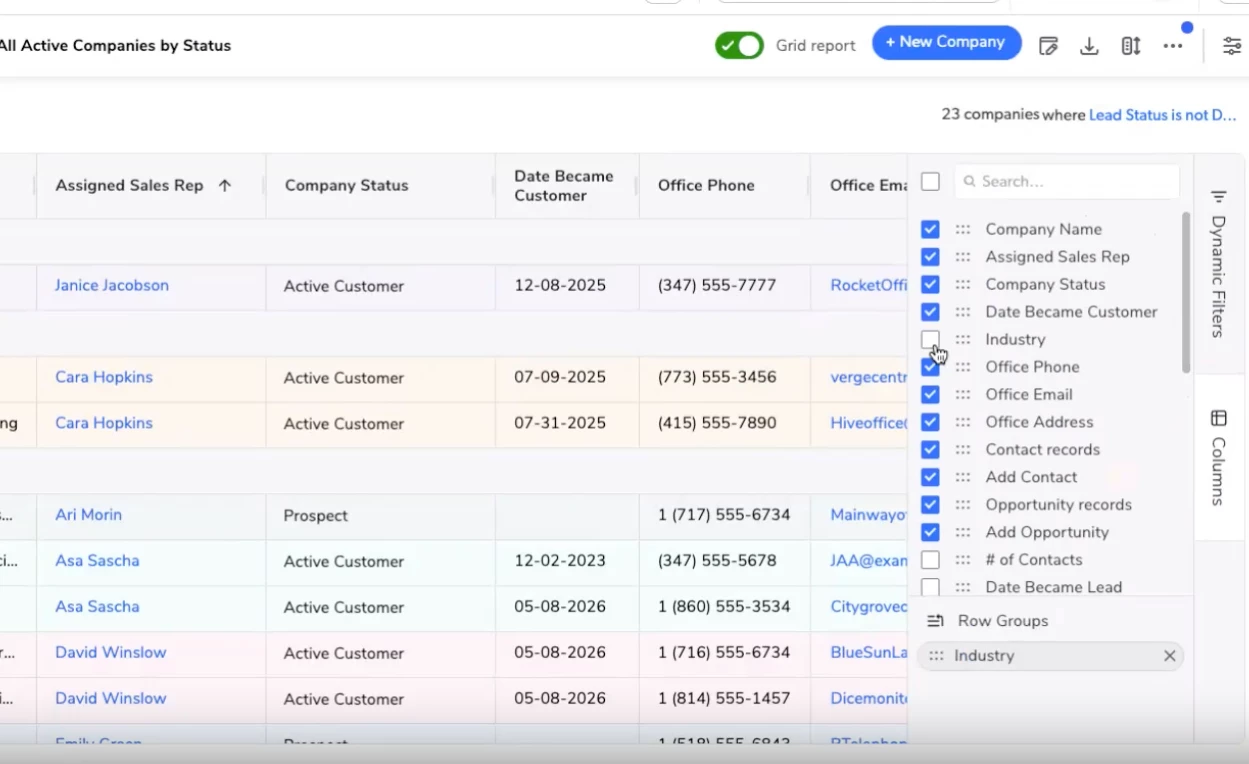


At Empower, we announced that grid reports are generally available in Quickbase. Judging by the response to Alice Rich and Nate Underwood’s session, “What’s New: Productivity Upgrades for Builders and End Users,” this update is already resonating with builders and admins.
It’s easy to see why. Table reports are where a lot of daily work happens. Builders design apps, configure workflows, and connect data across teams, but end users still need a simple, fast way to review, update, and act on records. Grid reports are a big step forward in making that everyday experience easier, faster, and more familiar.
Why grid reports matter
There’s a reason spreadsheets are still the gold standard for working with data: people know how to use them.
Grid reports bring that familiar, spreadsheet-like experience into Quickbase, so users can work with operational data without jumping between pages, forms, or windows. You get a faster way to edit records, with the structure, governance, and power of Quickbase behind it.
For builders and admins, this matters. The best app experience is one your users can step into and use with confidence. When updating records feels natural, teams spend less time figuring out where to click and more time getting work done.
Fewer redirects. More flow.
One of the biggest benefits of grid reports is simple: fewer clicks.
Users can edit related data without leaving the page, which is especially useful when reports are embedded in forms and dashboards. That means fewer redirects, less context switching, and a smoother path from finding a record to updating it.
Grid reports also add familiar editing improvements that make table reports feel more productive, including fill down, undo and redo, double-clicking to auto-size column widths, more control over row heights and column widths, pinning multiple columns, improved filtering, and more.
These are the kinds of small improvements that add up quickly. A saved click here, a reduced redirect there, and suddenly everyday work feels a lot smoother.
From open beta to GA
Since grid reports entered open beta, the Quickbase community has shared feedback that helped shape the road to GA (generally available). Now, the focus shifts from trying grid reports to putting them to work in your apps.
Start with the places where users spend the most time today. Which reports do they update most often? Where are they clicking in and out of records? Which forms or dashboards would be easier if users could edit data right where they are?
Those are the places where grid reports can make an immediate difference.
Start exploring grid reports today
Ready to take a closer look? These resources can help:
- Watch the 2-minute overview video
- Take the interactive tour
- Read the grid reports one-pager
- Review the grid reports FAQ
- Check out the help docs
Grid reports are here to help make Quickbase feel faster, more familiar, and easier to use for the people who rely on your apps every day.
As you start transitioning your apps to grid reports, contact your Quickbase Account Team with any questions or additional help.