




















Qrew EXCLUSIVE: 50% Off Camp Quickbase 🏕️
Articles, updates and stories from Quickbase and the Qrew
Recently active
Hey Qrew! Here’s an update to what’s happening at Quickbase the week of July 28th—No Qrew meetups this week, but we have lots of opportunities to level up your Quickbase skills and chances to share your experience with the Qrew! ⭐ Thursday, July 31st ⭐ Webinar: Formulas 101 @ 1:00 PM EDT Join us to learn how Quickbase formulas can help you unlock new insights into your data by performing calculations right in your app and doing away with redundant data entry. The utility of formulas in Quickbase doesn't stop at just doing math for you, they can also be used to customize your apps appearance, make your reporting more visually impactful, and create custom buttons to navigate your app or even kickstart workflows. RSVP to learn more. 📅 Additional Activities 📅 Sam Trachy’s Office hour M-F at 1pm EDT FastField Office Hours M,W,F at 2pm EDT Check out the new Quickbase University experience! Qrew Discussion site Customer-led Quickbase Discord Check
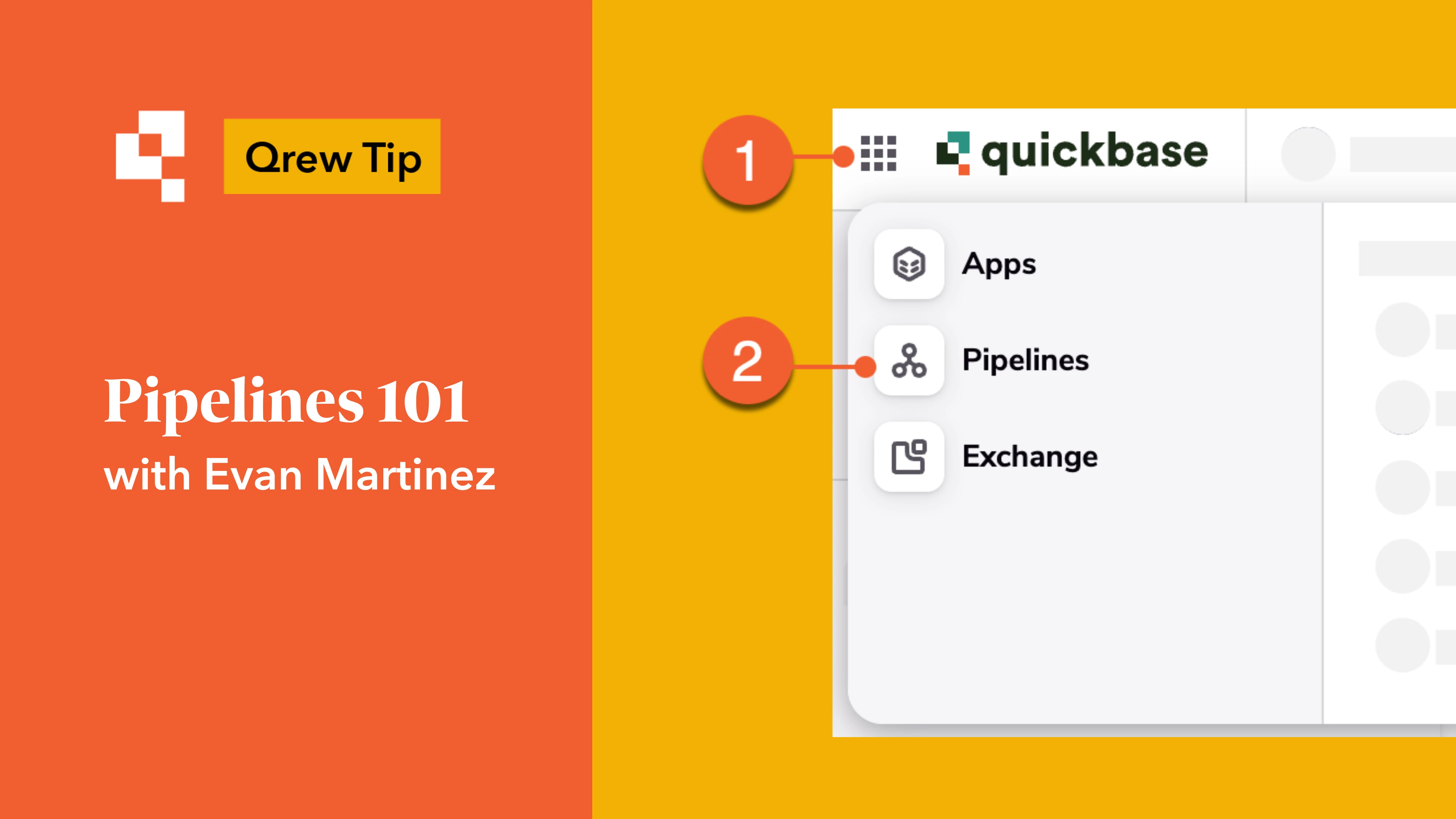
Quickbase AI already helps you build applications by simply describing your use case or importing a spreadsheet. And for months now, you’ve been able to build pipelines the same way—just describe what you want to happen (like “Send a Slack notification when a new project is created”), and Quickbase AI generates the pipeline structure in seconds. But there’s always been one last manual hurdle: configuration. Selecting apps, mapping fields, reviewing steps—it could take minutes to get your automation up and running. That changes today. Introducing 1-Click Automation! Now, with the new “Build and populate steps” and “Populate all steps” features, Quickbase AI doesn’t just build the pipeline—it configures it for you. It’s the fastest way yet to go from idea to automation. Getting started: Experience the 1-click revolution New to building pipelines with AI? Navigate to Pipelines and select "Generate with AI" Describe your desired workflow (New) Click on “Build and populate steps
Hey Qrew! Here’s an update to what’s happening at Quickbase the week of July 21st—these are fresh right off the events page, so read on, get in the know, and RSVP where you can. 📅 This Week’s Highlights 📅 Sam Trachy’s Office hour M-F at 1pm EDT FastField Office Hours M,W,F at 2pm EDT Check out the new Quickbase University experience! Qrew Discussion site Customer-led Quickbase Discord ⭐ Wednesday, July 23rd ⭐ Pipelines Qrew Meet Up12:00 PM – 1:00 PM EDT Kevin Slider will be sharing how to streamline document creation, storage, and notifications using the latest Document Generation features and Pipelines. Check the events page for last-minute updates and full details, and let’s make the most of this week together. Don’t forget—show up, learn something new, share a tip, and bring the fun energy!
🌺June Certifications 🌺 🎓 Hello Qrew! We’re back with the July edition of Certification Wins, where we proudly spotlight the amazing individuals in our community who’ve earned Quickbase certifications this June! 🌟 Each certification is a reflection of your effort, curiosity, and commitment to building smarter. Whether you’re just starting or mastering advanced skills, this space celebrates YOU. 🙌 🏅Certified In June 🟨App Foundations 🟧 App Builder 🟩 Expert Builder wendysdbcb KristofferKeene ptiwari083 SrinathM_R1 KristinTEST JosieReyes SudeepSuresh hbkc Amber 💡 Each name above represents hours of learning, practice, and persistence. Congratulations to all our achievers! 🌟 Featured Shoutout 🌟 🎉 This month’s spotlight goes to SudeepSuresh 🎉A $25 gift card is heading your way — congrats! 📣 Join the Celebr
Hey Qrew! No Qrew meetups this week, but we’ve got plenty of events and activities to take part in. Here is what’s happening in the Quickbase universe this week: 📅 This Week’s Highlights 📅 No Office Hours with Sam Trachy this Monday-Wednesday. He will return Thursday 7/17 and Friday 7/18. Quickbase University Office hours on M-F this week 12-1pm EDT to answer questions about the Quickbase University experience. Click the Office hours link above to ask questions and the university link to check out the new experience. FastField Office Hours M,W,F at 2pm EST ⭐Feature Focus Webinar ⭐Topic: Connecting Your Team and External StakeholdersWhen: Thursday, July 17 at 1pm ET Discover new ways to streamline collaboration between your internal teams and outside partners. Register today! If you prefer reading, check out Wes McAda’s recent blog post on the Qrew community site, and chat with fellow Qrew members in the discussion or Di
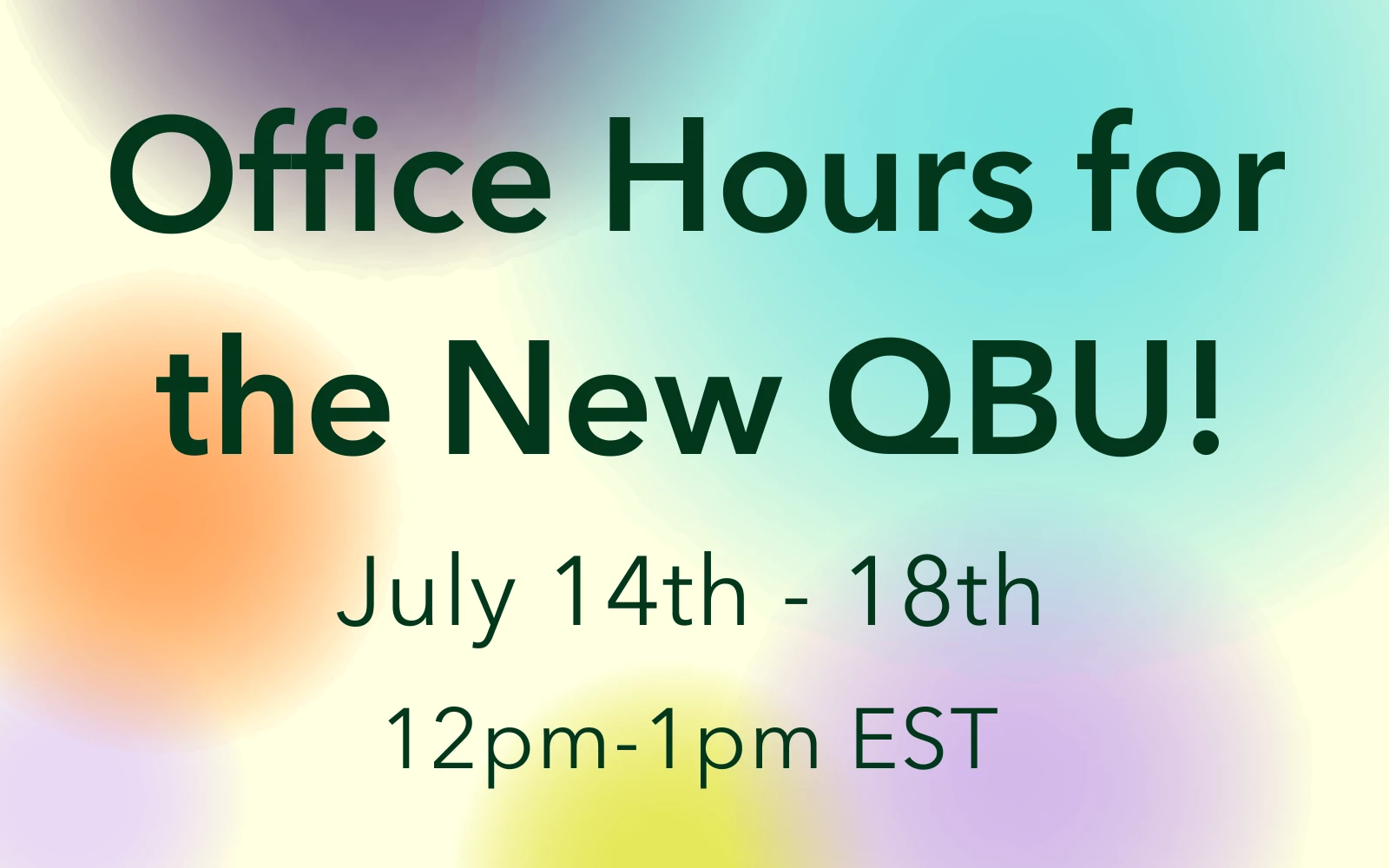
As we transition to our new QBU user experience we haven't forgotten you, the user! If you run into any hiccups or friction with this change we're here for you! Office Hours will be available for the New QBU, July 14th through July 18th, from 12pm-1pm. To attend office hours, click here and join a call with a member of our Customer Education team.
The Qrew is excited to bring voices from our Community into our blog. As both a current customer and former Quickbase staff member, Wes McAda is a long-time member of The Quickbase Qrew. If you have an interesting take or perspective on what's taking place in Tech today, and you are interested in writing a blog like the one below, please email Ben Simon at bsimon@quickbase.com. There are many AI tools and uses to consider nowadays. There is talk about it making many jobs, from artists to software developers, redundant. As a professional developer and an occasional artist, I have used AI for both.For example, my goofy, dad-joke loving side gets a kick out of this image: As a Florida State alum and football fan, and lover of both artiodactyls and beer, just “Yay!”. It is an FSU Efes Ewe, but I capriciously digress. I guess I could have paid an artist to render this, but I probably would not have spent the money on it. AI made this silliness accessible. AI also makes higher
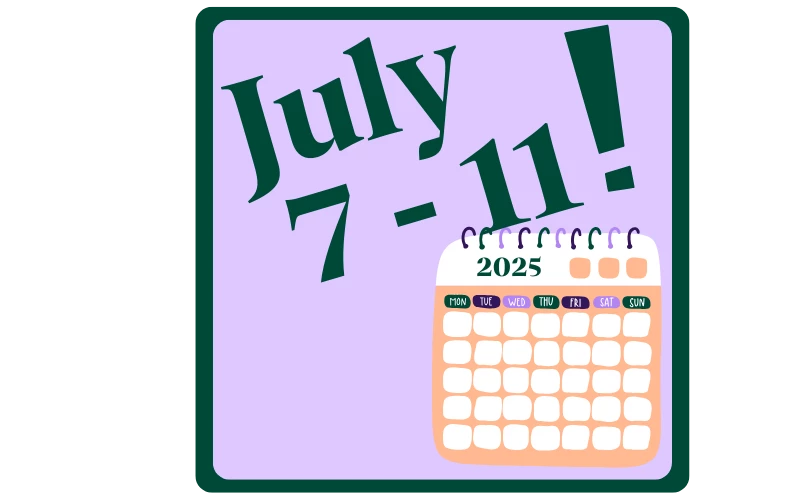
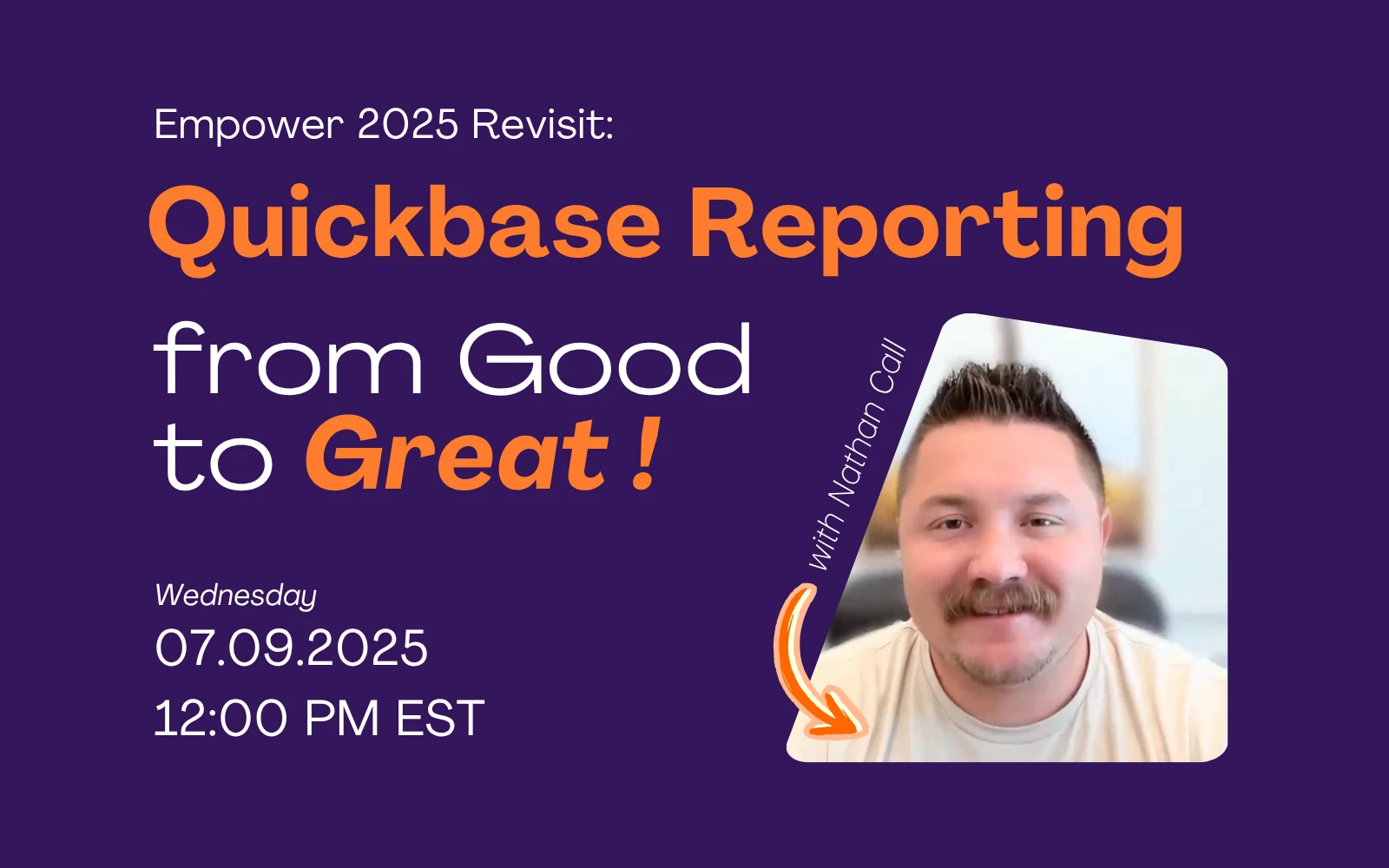
Hey Qrew, Hope everyone had a nice restful long weekend. Here’s what’s happening at Quickbase from July 7th–13th: 🌟 Featured Events: General Qrew Meet Up: From Good to Great – Unlocking the Power of Reports (July 9, 12–1 PM EDT) Join Nathan Call as he shares pro tips on turning basic app data into visually engaging reports that drive smarter business decisions. Perfect for anyone looking to level up their reporting game. Webinar: Will SaaS Sprawl Cost You Your AI Transformation? (July 9, 12–12:45 PM EDT) Discover how SaaS overload could be slowing your AI initiatives and what you can do about it. Don’t miss the latest research and practical solutions1. 🌟 Bonus Event and Activities: Quickbase University Launches New Experience July 14th!Click the link to learn more about how it will change next Monday. Take this mid-year community survey We are always looking for ways to improve and bring more value and fun
Hello Qrew! EstherLaVielle , Maria , and I are always looking for opportunities to enhance The Qrew experience. As such, mid-year is a great time to examine where we are with our programs and what we can do differently to improve. Please take a few moments to answer a few questions about our Community, The Qrew, via the below survey. SURVEY Thank you to each and every individual who makes this Community what it is. From our amazing customers, our devoted partners, and our passionate staff, we all bring something different to The Qrew. I'm looking forward to seeing this Community continue to grow and flourish. -Ben
Join us! July 9th at 12pm EST Quickbase's own Nathan Call will bring hisEmpower '25 presentation live to the Qrew!
📅 What’s Happening and When? We’re launching a new Quickbase University experience on Monday, July 14th! 🤔 Why the Change?You spoke. We listened. The current Quickbase University hasn’t fully delivered the learning experience you deserve. So, we’re making bold improvements—from modernized courses to smarter certifications—to help you learn faster, earn recognition sooner, and showcase your Quickbase expertise with confidence. This is more than an upgrade—it’s a whole new way to grow with Quickbase. Here's how this transformation will revolutionize your Quickbase learning journey: 🎓 Next-Level Learning for Next-Level Builders Our enhanced learning platform is: Intuitive & Engaging New and improved courses with fresh, relevant content Intuitive navigation that gets you to content faster Improved search capabilities to find exactly what you need Advanced progress tracking with detailed analytics to monitor your growth Personalized & Efficient Personalized learning pat
🎓 Hello Qrew! We’re back with the June edition of Certification Wins, where we proudly spotlight the amazing individuals in our community who’ve earned Quickbase certifications this May! 🌟 Each certification is a reflection of your effort, curiosity, and commitment to building smarter. Whether you’re just starting or mastering advanced skills, this space celebrates YOU. 🙌 🏅Certified In May🏅 🟨App Foundations 🟧 App Builder 🟩 Expert Builder KCabreira JoseEnrique JosieReyes CynthiaGiguere cpansewicz LADISLAVGALBAVY ptiwari083 SamuelThomas ValiMasca1 CJSprague Kamal anagalingam EdH cpansewicz MihirMulloth RaviShankar1Kamal EdH 💡 Each name above represents hours of learning, practice, and persistence. Congratulations to all our achievers! 🌟 Featured Shoutout 🌟 🎉 This month’s spotlight goes to EdH 🎉A $25 gift card is heading your way — congrats! 📣 Join
Tuesday, June 24 – Code Pages Qrew Meetup | 12:00–1:00 pm EDT We’ll kick things off with a quick intro to code pages, share some handy tips, and walk through real-world examples from both customers and our own Quickbase experts. Great chance to get inspired and see what’s possible with code pages. Register for the meetup using the link above. Wednesday, June 25 – Pipelines Qrew Meetup | 12:00–1:00 pm EDT Wes McAda from Versar Global Solutions is back with an enhanced version of his Empower 2025 talk. He’ll dive into using Pipelines with Everyone-on-the-Internet apps, including secure links, cascading permissions, and the latest on document security. Register for the meetup using the link above. ⚾Heads up!🧢 We’re taking a little break the week of June 30—no Qrew events that week. We’ll be back with more Monday updates and meetups starting July 7. See you there!
Quick Update: Doc Creation via the Quickbase Pipeline Channel is being pulled from this release to give our team time to look into an issue, please refer to our future release notes for when it will be released. If you weren’t able to join our June Feature Focus webinar live, you can still watch it on-demand here. Pipelines With the new Pipelines error notification emails can we suppress automatic emails to the Realm Owner/Admins? · Currently there is not a way to pick who among your realm admins receive this email, it will go to all realm admins to assure they are getting notified of technical issues. If this is something you have a need for in your organization, we recommend adding it as product feedback. Will the document be saved to a file attachment field? (Pipelines Doc Creation Step)· Our Document Creation step for Pipelines has been pulled from this release, we are working on an issue with it that meant we needed to pause on releasing it right now. Can
We’re officially winding down the Qrew Champions program online hub, which will close on June 27, 2025. This decision wasn’t made lightly, but it gives us space to explore new ways of connecting with and celebrating our amazing customers—like you. What was the Qrew Champions Program Hub? Qrew Champions online hub was a space where members could complete challenges, share their stories, participate in surveys, and connect with others while earning rewards along the way. We’re incredibly grateful to everyone who participated and helped make it a vibrant community and fun experience. What’s next? While the program hub is closing, you can still connect with fellow customers, ask questions, and share best practices here in Qrew Discussions. Additionally, Qrew Meetups continue to be a great way to see how others in our Community are using Quickbase, and our Community team is committed to rewarding participants and guest speakers for their time. Check out the next
Having visibility into what changed, when, and by whom, and being able to restore previous values is essential to every software we use nowadays. This is even more important for maintaining trust, accuracy, and control in your Quickbase apps. That’s why we are rolling out a major upgrade to our Audit Logs and particularly to Data Change Logs - giving admins a more powerful, reliable way to track and recover data changes with (almost) zero setup required. What’s New in a Nutshell All scalar fields are now tracked by default once auditing for an app is enabled - no manual enabling needed Only actual field changes are logged - cleaner, more relevant audit trails App admins can now restore changed and deleted values - right from the app audit log Existing field property repurposed - now controls presence in change logs, not logging behavior See full release notes Let’s unpack the details. Easier Setup:Track All Scalar Fields Automatically Previously, tracking data change
Hi Everyone! Just a quick heads up that office hours with Sam Trachy is cancelled today and will resume tomorrow June 3rd at 1pm EDT. Thank you!
NOTE: THIS BLOG WAS AUTHORED BY BrianCafferelli , BUT DUE TO TECHNICAL CHALLENGES, BRIAN WAS NOT ABLE TO PUBLISH. Companies around the world run time-sensitive, business-critical processes on Quickbase. And one of the ways this streamlines how you manage critical information is through our built-in email notifications. The ability to send alerts to the right people at the right time ensures that your team stays productive. We’ve upgraded much of the user interface across the Quickbase platform recently, such as reports and forms. And the next step in this journey is simplifying emails and making them more flexible. We’re proud to announce that we have re-built emails from the ground up. We are providing a new and modernized experience that supports new forms, allows you to pick the time of day an email is sent, and more. Read on to learn more what’s possible using new email notifications. Using new forms and notifications together We recently rolled out a new v
June is heating up with many Qrew events and activities to fill your days with learning new tips while connecting with other builders and admins. This month we’ve got four virtual Qrew Meetups coming up with brand new topics and a hands-on training opportunity. App Builders Qrew Meet UpJune 10, 2025 | 12:00–1:00 pm EDT – Register hereJoin Nichole Braswell, Quickbase Developer at Sympo, to discover an easy way to manage multiple forms for a single record with just one button. Plus, Lyla Rozelle, Sr. Product Manager, will give a quick tour of the updated admin console account summary page, and Ventsi Tasev, Group Product Manager, will share the latest on Audit log feature updates. Cascading Permissions – General Qrew Meet UpJune 11, 2025 | 12:00–1:00 pm EDT – Register hereJoin this Empower encore Qrew Meet Up with Lauren Molino, Director of Advanced Solutions Services, for a hands-on, follow-along session where you'll learn how cascading permissions can help you control access across yo
We’re thrilled to give a big shoutout to Chris Austin for attending our recent Quickbase Feature Focus webinar and being our door prize winner! Thank you to all who were able to attend! All registrants and attendees will receive the recording via Goldcast to your email. You can also rewatch the webinar on demand by accessing the events page. We are so delighted to see how enthusiastic folks were to learn about the new AI smart features and thoroughly appreciated the thoughtful questions and comments from the crowd. We can’t wait to see how you put these new features to work when they are available! Interested in joining the public beta to test out these features?Join here!
Hello Qrew! We’re back with this month’s edition of Certification Wins, where we proudly spotlight the amazing individuals in our community who’ve achieved Quickbase certifications this past April! 🌟 Each certification reflects your effort, curiosity, and commitment to building smarter. Whether you’ve just begun or are advancing through expert-level skills, this space is all about YOU. 🙌 🏅Certified This Month🏅 🟨 App Foundations DeShawnJones anagalingam 11013 HemaChennojwala KristaSibery laharms Mark MihirMulloth MolinaDavis RaviShankar1 RajeshGangji RBater SeanTori 🟧 App Builder JenniferPotter1 🟩 Expert Builder CassandraFrien1 RohitVuppuluri ShubhangiSingha Lakshmi_Hanisha 💡 Each name above represents hours of learning, practice, and persistence. Congratulations to all our achievers! 🌟 Featured Shoutout 🌟 🎉 This month’s spotlight goes to SeanTori, for their dedication and perseverance. A $25 gift card is heading your way — congrats! 📣 Join
If you're new to being a Quickbase admin, start here! While it may feel like there is a ton to learn, the Getting Started Hub has you covered. This is how you start. We'll cover the basics, with account settings and Quickbase Navigation, and we'll leave you with the right resources you can bookmark to reference early and often throughout your time as a Quickbase customer. Do you know someone else in your company starting out on Quickbase? Bring them here! Consider this Step 1 in transforming your operations on Quickbase! Reference Materials These are the often used resources you'll have while learning Quickbase. Qrew Members have found these links helpful to save as bookmarks to reference. Glossary - Definitionsfor AdminsResourcesOnboarding Emails Account Set Up You and your team are eager to build an app, but wait! Spend some time in your first 30 days accomplishing these tasks to familiarize yourself with these essential areas. Also, click here for the attachment, Checklist for Ne
Whether you're syncing data between systems or automating onboarding tasks every time a new customer is added, pipelines are designed to save you time and reduce manual work. Key terms Knowing these terms will help you understand documentation and submit more specific support tickets: Pipelines: automated workflows for integrating systems or automating within Quickbase Channels: the systems you’re connecting with (e.g., Slack, Outlook, Quickbase) Steps: the building blocks of a pipeline. There are different types of steps, including: Triggers: events that start a pipeline (e.g., record changes, daily schedules) Actions: tasks the pipeline performs (e.g., create records, send emails) Queries: search steps to avoid duplication or check data before acting 💬 Are there any terms you would add to this list? Let us know in the comments! Types of pipelines There are three types of pipelines: Triggered: runs when an event occurs Scheduled: runs on a set timeline Manual: runs on demand o
We’re excited to share that as of April 21, the new forms experience in Quickbase is now generally available on mobile! This launch marks a significant milestone in our mission to provide a seamless, consistent, and powerful experience to users—no matter where they work or what device they use. Why This Matters Historically, building for mobile in Quickbase presented a number of challenges. App Admins often had to create and manage separate legacy mobile forms to provide a usable experience on smaller screens. For end users, the experience was often inconsistent. Legacy mobile forms came with limited layout options, lacking the flexibility to organize content using columns, or tabs. Form rules and workflows sometimes behaved differently than expected, and key functionality—like viewing embedded reports directly on the form—wasn’t available on mobile at all. As a result, mobile usage often required workarounds, compromises, or shifting tasks to desktop, slowing down
Example User Agent: Mozilla/5.0 (Windows NT 10.0; Win64; x64) AppleWebKit/537.36 (KHTML, like Gecko) Chrome/134.0.0.0 Safari/537.36 Edg/134.0.0.0 Full Breakdown: PartMeaningMozilla/5.0This is a legacy prefix. Originally meant "compatible with Mozilla browsers." Today it just signals "I'm a web browser" for compatibility.(Windows NT 10.0; Win64; x64)Operating system and architecture: Windows 10, 64-bit (x64 architecture).AppleWebKit/537.36Rendering engine: WebKit (like Safari and Chrome use), version 537.36. Means the browser uses WebKit-based layout.(KHTML, like Gecko)Says the engine behaves like Gecko (used by Firefox). Another compatibility statement.Chrome/134.0.0.0Browser engine version: Chromium version 134.0.0.0.Safari/537.36Compatibility tag indicating Safari WebKit behavior (same as AppleWebKit version).Edg/134.0.0.0Microsoft Edge browser, Chromium-based, version 134.0.0.0. What This Tells Us: Operating System: Windows 10 Architecture: 64-bit machine (x64) Browser: Microsoft
Already have an account? Login
Enter your E-mail address. We'll send you an e-mail with instructions to reset your password.