

























Qrew EXCLUSIVE: 50% Off Camp Quickbase 🏕️
Articles, updates and stories from Quickbase and the Qrew
Recently active
May is blooming with Quickbase events to help you grow your skills and connections! Our meetups, webinars, and community gatherings offer fresh opportunities to build and grow your knowledge of using Quickbase. Watch the video below to view the Qrew events happening this month. The four Qrew events we highlight in the video above include: May 13th at 12pm EST - App Builders Qrew Meet Up Prashant Maheshwari, Director at Krishna Beads Industries, will show how he uses formulas and AI in Quickbase for validation rules, multi-status reporting, and intuitive reports and forms. We'll also have our product team share an update on Audit logs. May 14th at 1pm EST - Pipelines Qrew Meet Up PLEASE NOTE THE AGENDA AND TIME CHANGE: At 1pm EST MichaelFrishman , owner of MJF Technology Solutions LLC, will lead a session on using APIs with Quickbase Pipelines and Postman, focusing on foundational tips for beginners and intermediate users of Pipelines. May 15th at 1pm EST - Governanc
Hello Qrew! We’re thrilled to launch a brand-new series called Certification Wins — your monthly spotlight on the amazing individuals across our community levelling up with Quickbase certifications! 🎉 Every month, we’ll be celebrating those who’ve earned their credentials across these key certifications: Whether you're just beginning your journey or pushing the limits of what's possible in Quickbase, Certification Wins will honor your growth, dedication, and success. 🎯 What to Expect Starting next month, we’ll publish a list of achievers who earned certifications in the previous month. We’ll also highlight standout stories and give a special shoutout to one lucky certified user with a small reward! This initiative is about recognizing YOU — the builders, thinkers, and doers driving innovation daily. ✨ Stay Tuned! Our first edition drops soon, so keep an eye out… You might see your name up there! 👀 And if you haven’t gotten c
As an account admin, you should receive a series of three onboarding email over your first two weeks, but in case you want to see what will be sent, reference past emails, or share them with a colleague, this page has each of those emails for your convenience. 1st Email:Welcome to the Quickbase Family! Hi There, You've joined a community, thousands of people strong, with a shared mission to overcome disjointed systems and manual processes, the world of gray work. As Quickbase's CEO, I want to give you a warm welcome and help you jumpstart your journey. Please take two minutes to watch the video below for tips on how to get started. Over the coming days, our team will share many helpful resources in calls and emails. In the meantime, I recommend three things to all new customers: Take our Quickstart Course to learn the basics and explore the other training available on Quickbase University. Join our community, The Qrew, to connect with and learn from others like you. Ask your bur
When you’re building in Quickbase, it’s natural to start with everything under one roof. After all, it feels cleaner, simpler, and faster at the start. But as your app (and your ambitions) grow, you might start to feel some of those growing pains—slower load times, complex role management, and conversations with your Account Team that start with: “Why is everything running so slowly?” Let’s talk about how separating your processes into different applications can be a game changer for both scalability and performance. (Or watch the Qrew clip here.) Complexity Grows with Your App As your team expands and more people get involved, your role management can get... well, messy. One app means more roles to manage, more permissions to fine-tune, and a higher chance for confusion. → Splitting your processes into separate applications simplifies role management. Each app is tailored to its specific users and data set, making controlling access and keeping
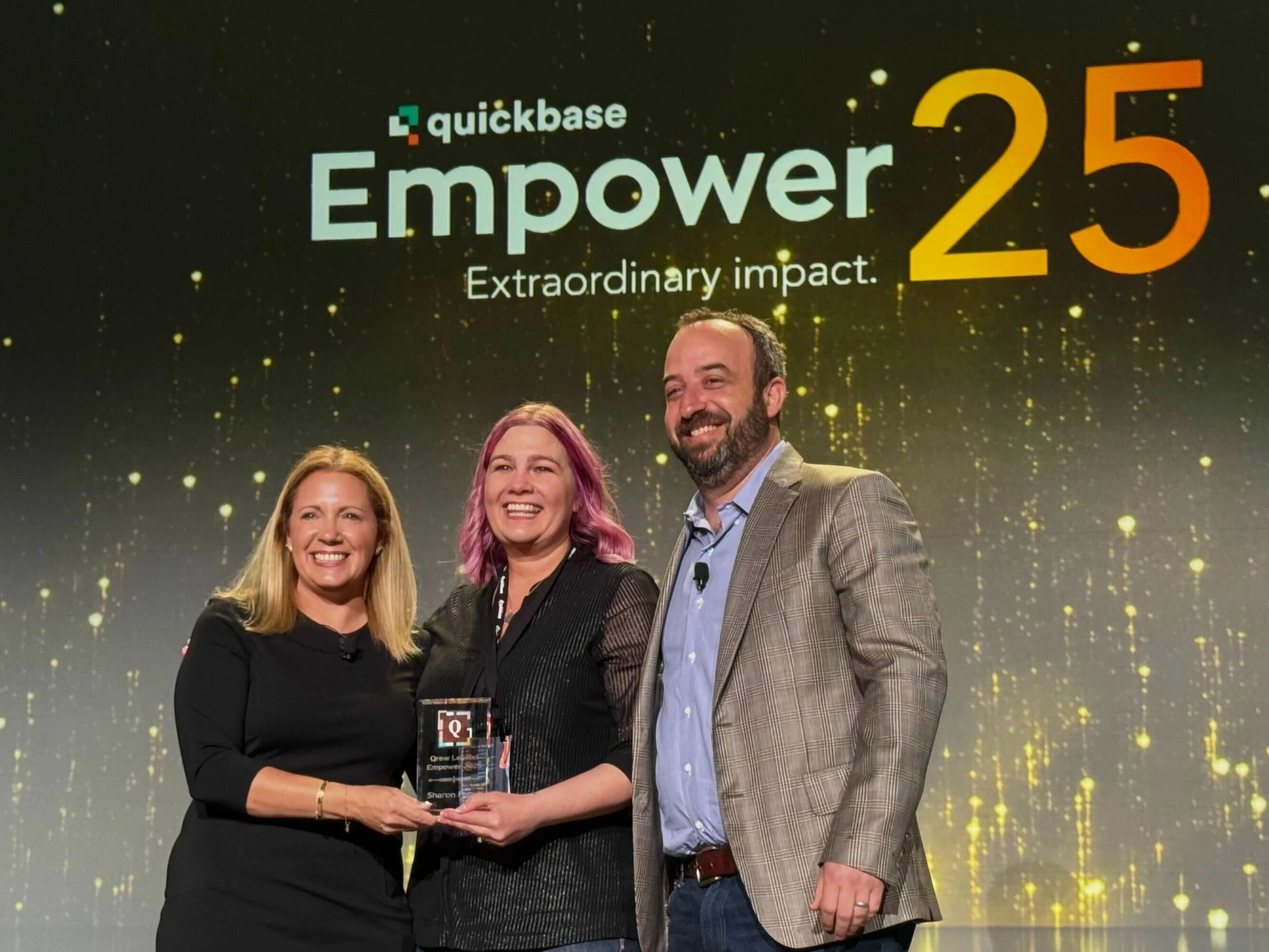
Couldn’t make it to New Orleans for Empower25? Watch the keynote virtually by registering at quickbase.com/empower. Product Updates Cheat Sheet! Want to see what's new and upcoming for Quickbase? Use this one-page guide to all the product announcements from the Empower25 keynote. I made it exclusively for the Qrew blog, so let me know what you think. :) Available Now: General Access FeatureDescriptionAudit Logs EnhancementsApp builder access to Audit Logs, new Audit Logs tables for the Governance Core Apps, and new audit events to track pipeline building activity.Pipelines Improved FastField ChannelSave your field teams time by pre-filling many sub-forms when dispatching a task in FastFieldFastField: Improved Data Tables Allow form builders to create a Data Table based on a Quickbase table report rather than the entire table, preserving any report filtering already set up.Improved Solution APIs: QBL support for forms, dashboards, and connected tables Update sets
As Empower 2025 comes to a close, the excitement doesn't have to end! April brings a fresh wave of engaging Qrew meet ups and webinars designed to keep you connected and inspired. Check out the event highlights to look forward to in the video below: Whether you're interested in learning about the latest features, improving your workflow, or connecting with other QuickBase enthusiasts, there's something for everyone. Join us for a month filled with opportunities to streamline your operations, automate tasks, and enhance your skills. New coming to the Qrew The Qrew Community team will be rolling out more contests and challenges for the Qrew! That means more opportunities to win swag, gift cards, and more. Did you catch the meme challenge on the discussion page? You can still participate! Be sure to keep your eye out for more contest and challenge announcements coming soon. Be sure to register for our upcoming April webinars and Qrew Meet Ups by visiting quickbase.com/events
Quickbase is designed to grow with your business, and that's why we created Solution APIs. These APIs allow you to manage business-critical apps safely, minimizing any business disruption. This is how to do Enterprise-grade Application Lifecycle Management in Quickbase. With the major improvements in this area being announced at Empower 2025, Solution APIs are now ready for your production use. This hub collects all the resources available to help you get started with this exciting new capability: Learn more about where Solution APIs can help in your org (community post) Get started using Solution APIs (help article) Test the Solution API endpoints (developer portal) Get an up-to-date list for what schema is covered (help article) Learn about how our Solution Lifecycle Manager Quickbase app can help you manage your deployments (help article) Get a copy of the Solution Lifecycle Manager by going to the exchange and searching for SLM Learn more about Solution APIs, incl
Audit logs are a powerful admin tool that makes it possible for teams to expand while still having the visibility into change that they need. Knowing how important that visibility is when our admins think about managing their workflows, we are excited to announce three new ways we are enhancing our audit log capabilities. First, we are adding new types of events around pipelines. Next, we are adding a new Admin Console sync channel for audit logs. And finally, we are adding a new app-specific version of audit logs which app builders can access from their app settings. Together, these new capabilities give your team better visibility into how your Quickbase account is being used. Audit logs: What are they good for? At its heart, Quickbase is an operations platform. And thousands of companies rely on Quickbase every day to manage unique processes that involve sensitive, business-critical data. To properly control these processes, you can reference our detailed audit logs. These lo
Managing work orders effectively is crucial for any maintenance team, especially when it comes to identifying critical issues before they escalate. Quickbase’s Data Analyzer simplifies this process by offering quick insights and deeper predictive analytics. In this guide, we’ll walk through how to leverage Data Analyzer to streamline maintenance operations and proactively manage work orders. Step 1: Accessing Quick Insights Navigate to the Work Orders table. Select Work Order Priority and open Quick Insights. Choose a value to predict (in this case, “Critical”). Generate insights with a single click. Step 2: Installing and Configuring Data Analyzer To get started with Data Analyzer: Install the Data Analyzer application. Navigate to App Settings > Plugins > Advanced Features. Install the Data Analyzer plugin, name it, and confirm requirements are met. Open the ML Models Table—it auto-fills with relevant data.&n
Managing projects with Excel and Sage 300 alone can be frustrating—scattered data, limited visibility, and time-consuming processes. But with Quickbase integration, project managers gain real-time insights into costs, purchase orders, and financials—all in one place. Learn how this seamless connection transforms project management. How Quickbase + Sage 300 Integration Works Let’s take a look at how this integration works in action, using a real project example: GSA Athens. Project Overview at a Glance The project record includes key summary data and actionable buttons. Users can drill down into cost details and financial transactions. Seamless Budgeting & Cost Tracking When an opportunity is marked as awarded, Quickbase automatically creates a budget and links it to the project. The budgeted cost is now visible within Quickbase. Live Financial Data from Sage 300 Sage 300 operates on a SQL database, and the integration pulls in actual costs in real time. Key financial metri
Quickbase makes it easy to reduce repetitive tasks and orchestrate workflows, uniting disconnected data onto one platform. With Pipelines, business users can manage both automations and integrations in one place. And we have been hard at work enhancing our Pipelines capability based on your feedback. Now, as we continue to look toward the future, we must also evaluate the role of older and less flexible features like Quickbase Actions. Therefore, on September 30, 2025, it will no longer be possible to create new Quickbase Actions. What this change means for you After September 30, 2025, you will no longer be able to create new actions. However, existing actions you’ve created will continue to run. And you will be able to enable, disable, and edit those actions as needed. We previously communicated a plan to disable the editing of automations and actions, and to begin the retirement of Application Webhooks. Based on your feedback, we are not planning to make those changes at this time
What is the "Best Dressed" Course About? Meet Mr. Cruz, a dedicated entrepreneur who owns a manufacturing unit for wedding outfits. Managing orders, customers, and operations can get tricky, so he’s building forms in Quickbase to streamline his workflows. In this course, you’ll join Mr. Cruz on his journey to create dynamic forms tailored to different user needs. From adjusting form properties to adding creative design touches, you’ll learn how to create forms that suit your app’s needs perfectly. Why Should You Take This Course? Forms are the backbone of any Quickbase app. They allow users to input, view, and manage data effectively. This course will show you how to: - Personalize form layouts to match specific workflows. - Implement user-friendly design principles. - Add validation rules for accurate data entry. - Explore advanced features like form rules and navigation pages. What Will You Learn? Here’s wha
Did you know you can bulk edit the columns displayed in your reports? 💡Our Senior Manager of Customer Success at Quickbase, Alexandra Shapiro, shares a few tricks you can use to customize your reports. 1. Access the customization options Open your report. Navigate to the Customize Report option in the top right corner. Once inside, you’ll see a list of available columns and the ones currently displayed in your report. 2. Selecting multiple columns at once with keyboard shortcuts Control (Ctrl) + Click: Select multiple individual fields by holding down Ctrl while clicking each one. Shift + Click: Select a range of fields by clicking the first field, holding Shift, and clicking the last field in the range. 3. Bulk move columns Use the up and down arrows to reposition them. Or, for even faster adjustments, use drag-and-drop functionality to place columns exactly where you want them. Note:
After receiving some incredible nominations during the month of February, the 2025 Qrew Legend Award recipient has been narrowed down to four finalists. Thank you to all the nominators! The 2025 Qrew Legend Finalists are: BRIANHINSHAW , QuickBaseJunkie , JimHarrison , and AndyKrumrai, congratulations to these nominees on being named finalists, all extraordinary contributors to The Qrew! Voting will be open from March 3rd through March 14th. Please note this is a change from earlier, we will need an additional week to ensure this award can be presented at Empower in the best way possible! Votes can be made here! The winner will be announced on April 1st during our morning keynote at Empower! I asked for our finalists to tell us a bit about themselves, here's what they shared. Brian Hinshaw, AT&T I've been a Quickbase builder and admin at AT&T for 5 years Favorite Way to Connect with The Qrew: Qrew Discussions and the Pipelines and Realm Admin Qrew. Some
What's up Qrew? See below for links to Meet Ups, Webinars, and of course, Empower '25. If you're still on the fence about attending Empower, allow me to nudge you in the direction of the side of the fence that is in New Orleans on March 31st. Register here for Empower 2025, it's the best decision you will make all year... Also happening in March... Qrew Meet Ups: Realm Admin on 3/4 with guest Mihir Mullloth from City of Philadelphia Solution Spotlight on 3/5, with guest Meg Kearney from Windover Construction App Builder on 3/11, with our very own Maria Pipelines on 3/12, with guests James Malone and Matthew Tillinghast from Juiced Technologies Mobile on 3/19, with Quickbase's Jenny Gomez, Tech Support Engineer. Come see how others are leveraging Quickbase through these free Meet Ups! Webinars: "How to go from App Inheritance to App Ownership" on 3/20 Have you recently inherited a Quickbase App or Suite of Apps? Have you recently been handed the keys to an entir
Bookmark this page! 🔖 No more searching endlessly for that one tip you saw last month—now, you can quickly locate the resources you need to enhance your Quickbase experience. Index URLIssue #TopicDate Published⭐ You are here.#00Index24 Feb 2025[LINK]#01How to Bulk Edit Report Columns24 Feb 2025 Featured Qrew Tip Qrew Tip #01: How to Bulk Edit Report Columns [LINK] Other Resources Qrew Tip Full YouTube Playlist [LINK] FAQs What are Qrew Tips? Qrew Tips are bite-sized videos that offer practical advice on using Quickbase. Whether it’s a solution to a common challenge or a walkthrough of a new feature, these short tutorials are designed to help you work smarter. How can I submit a Qrew Tip? Do you have a Quickbase trick up your sleeve? Join the Qrew and share your knowledge by creating your own Qrew Tip video! It’s easy—just ping Maria Peralta to learn more.
Quickbase integrates with dozens of different products, and we periodically need to make changes to adapt as those external systems also make changes. Therefore we need to change how Sage Intacct connected tables authenticate. This is necessary to align with Sage’s standards that require integrations to authenticate using your Sender ID. If you are using any Intacct connected tables, you will need to review your active Intacct connections and update each Intacct Sync connection in Quickbase to provide your company’s Intacct Sender ID before February 28th, 2025 – otherwise they will no longer run starting on March 1st, 2025. Impacted customers previously received a note about this by email, however we wanted to post on community to further spread the word. Read on for details about how to make this change. Finding Your Intacct Sender ID: You may need to contact whoever manages your Intacct instance within your company to find your Sender ID. Once you’ve confirmed that
What Is Sweet Connections? Sweet Connections takes you on a learning journey with Miss Cone, the owner of a frozen dessert store. Through her story, you’ll learn foundational concepts like creating relationships, importing data, building formulas, and more. Each module is packed with practical tips that will help you apply these skills to your own apps. How Does Sweet Connections Work? The course is divided into four engaging modules: Cuppa Foundations: Learn the basics of app setup, including creating tables and understanding relationships. Scoop Techniques: Master advanced features like formulas, snapshots, and data imports. Topping Triumph: Explore summary fields, conditional dropdowns, and reporting tools to gain deeper insights. Cherry on Top: Bonus tips and tricks, including best practices for naming fields and maintaining data accuracy. Why Take This Course? Building relationships between tables is essential for creating efficient apps that work seamlessly with y
Qrew, an important task lies ahead for you: Nominations are open for our 2025 Qrew Legend! From now through February 21st, nominate one person in the Qrew who has made the biggest impact on your Quickbase success. To nominate a Qrew Legend, click here. Who can I nominate? Any non-Quickbase employee Qrew member. This award is about recognizing one of you, not us! Any tips on who to choose? The person you nominate should be obvious to you. Nominate the individual who has made the biggest impact on you through their knowledge share or content. This could be an individual who has provided helpful content you have used to become a better user of Quickbase. It could be someone who inspired you to think differently on how you approach your role using Quickbase. Perhaps you saw them speak at an Empower event, or a Qrew Meet Up, or you have seen them share knowledge at Sam Trachy's office hours frequently. Legends come in many forms. &
We're sharing the love of Quickbase at our upcoming Qrew Meet Ups that'll make your operational workflows swoon and fall head over heels! Check out a some highlights of Qrew Meet Ups that we're excited to host, and checkout our February Events to register today. Thanks and we'll see you in February!
At Quickbase, we’ve always been committed to helping you solve complex business problems by connecting data, automating workflows, and creating tailored applications—all without writing code. We’re excited to announce the next step in this journey: the addition of the OpenAI channel in Quickbase Pipelines. With the AI Smart Builder, we are focused on helping builders create apps and pipelines. However, this integration marks the first milestone in bringing the transformative capabilities of large language models (LLMs) directly into your Quickbase solutions to help you get more out of your data! This is more than just a new feature—it’s an invitation to experiment, innovate, and reimagine what’s possible within Quickbase. What Is the OpenAI Channel? OpenAI GPTs are a powerful tool for generating natural language responses based on prompts. By integrating this functionality via Quickbase Pipelines, you can create workflows that harness the power of AI to transform text, automate repetit
Thank you to the Quickbase Qrew for a magical 2024! Our team wanted to thank all the members of The Qrew who made 2024 an incredible year. We hope to see you at Empower on March 31st! Register here! For those interested in helping us design our Qrew Meet Ups at Empower, please take 3 minutes to complete this survey! Empower Qrew Meet Up Survey: https://form.typeform.com/to/cGKI53fD We will be using this feedback in how we format our Qrew Meet Ups in New Orleans. Share your ideas here so I can work towards bringing them to life in March!
FastField is the missing piece to your field-to-office workflow. It lets your field teams collect rich data on their mobile devices (online or offline) and send it back to Quickbase. By linking your Quickbase account with FastField or starting a 30-day trial, you’ll be able to connect data, users, and workflows between accounts. To help, here are six ways to make the most of your FastField-Quickbase integration. Create a FastField form from a Quickbase table Create forms from PDFs or images with the AI Form Converter Sync and manage lists with data tables Get organized with user roles and libraries Connect your data for real-time insights Assign tasks to reduce downtime 1. Create a FastField form from a Quickbase table Already have a Quickbase table you’d like to turn into a mobile form? Use the New FastField form button in Quickbase to create a FastField form based on the table's schema in seconds. Then, share your forms with field teams for use in the FastField
As our CEO Ed Jennings shared above, registration for Empower 2025 in New Orleans is now live! Get in there, get yourself registered for what will be the best Quickbase event of the year! Empower 25 is a live two-day event from March 31st-April 1st with a preconference schedule available on March 30th for pre-event training. If you haven't done Empower in person yet, time to make that change. Ask anyone in The Qrew who attended previous Empower events in Miami, Austin, Boston, Nashville, etc. They'll all tell you it's worth attending. For those who have only attended our virtual Empower conferences, Empower in person is an even better experience, because on top of all the incredible sessions we'll have for you, we'll have a chance to do it together, away from our laptops! There's simply no better way to connect with other Quickbase users, to learn more ways to use our product, and grow your professional network, than to attend Empower. I hope to see you there! Regist
Already have an account? Login
Enter your E-mail address. We'll send you an e-mail with instructions to reset your password.