

Inside Pipelines: September Improvements from the Engineering Team

Related products:Quickbase
  • Oct 26, 2026 1:04 PM UTC
  • 3 replies
  • 101 views
cnedialkov
Forum|alt.badge.img+2

Some of the most useful changes are the ones that stop a small mistake before it turns into a bigger one. 

A trigger that can never fire. A connection deleted a little too quickly. A copied step that lands in the wrong place. 

None of these are dramatic on their own, but each one costs you a few moments of “wait, what happened?” That’s exactly what Delightful Pipelines Day is for. 

Here’s what we tackled in September. 


Trigger event toggles that explain themselves 

tweaked by ​@MarinTakanov


The On New Event and On New Bulk Events toggles could both be switched off. That left your trigger with nothing to listen for, and no hint about what went wrong. 

Now at least one toggle always stays on. When only one is left, it locks in place with a short note underneath explaining why. 
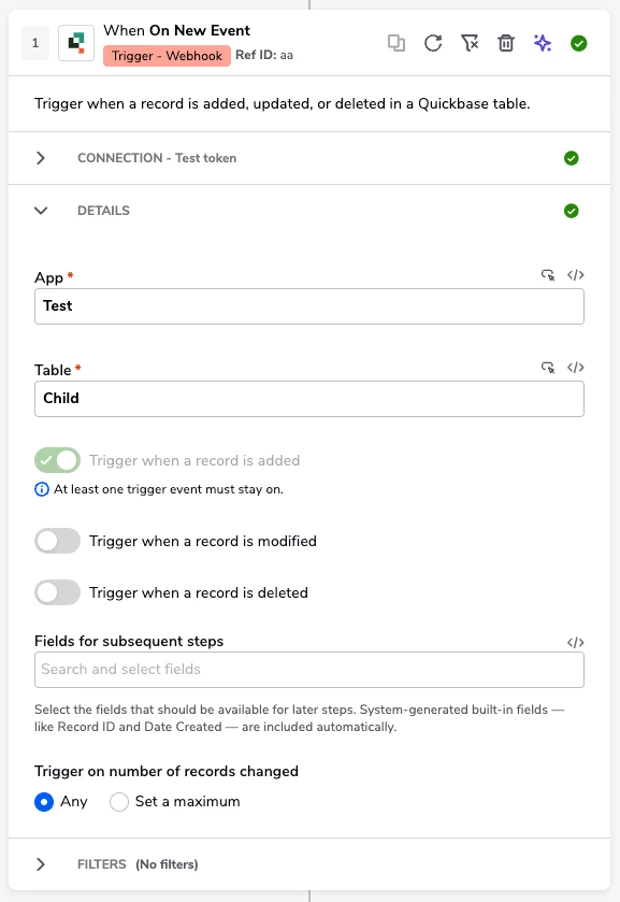
The last toggle left on locks in place, with a note explaining why. 


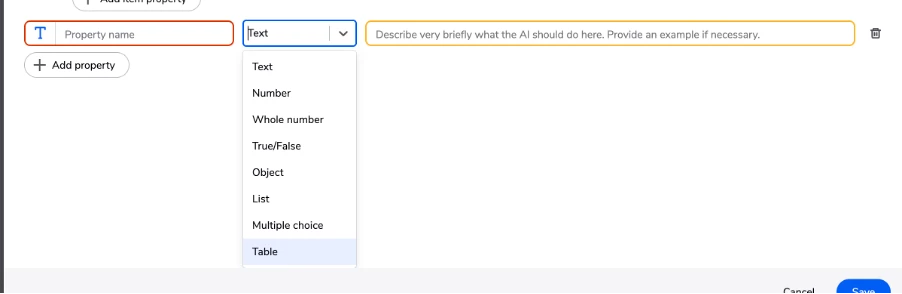
A Table type in the JSON Schema builder 

smoothed out by ​@DzhemSS 


Describing tabular data in the JSON Schema builder, like a list of rows that each have their own fields, meant adding a List and then nesting an Object inside it by hand. Every time. 

The new Table property type builds that structure for you in one step, so you start from a ready template and just add your columns. 
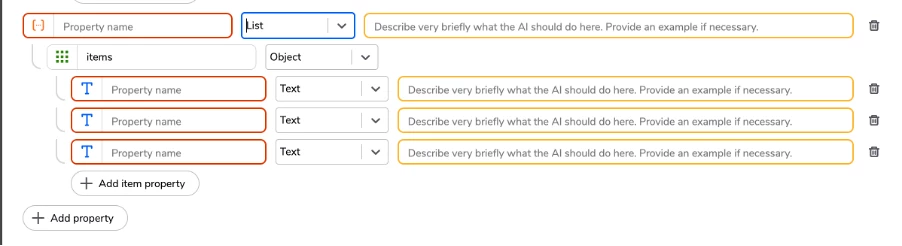
 

Pick Table and the List and Object structure is created for you. 


Duplicated steps now land where you expect 

polished by ​@rmilushevqb 


You duplicate a step, and the copy shows up above the original. Now there are two identical steps side by side, and you have to drag one into place while keeping track of which is which. 

This one came straight from customer feedback. Duplicated steps now appear directly after the original, right where you’d keep building. 
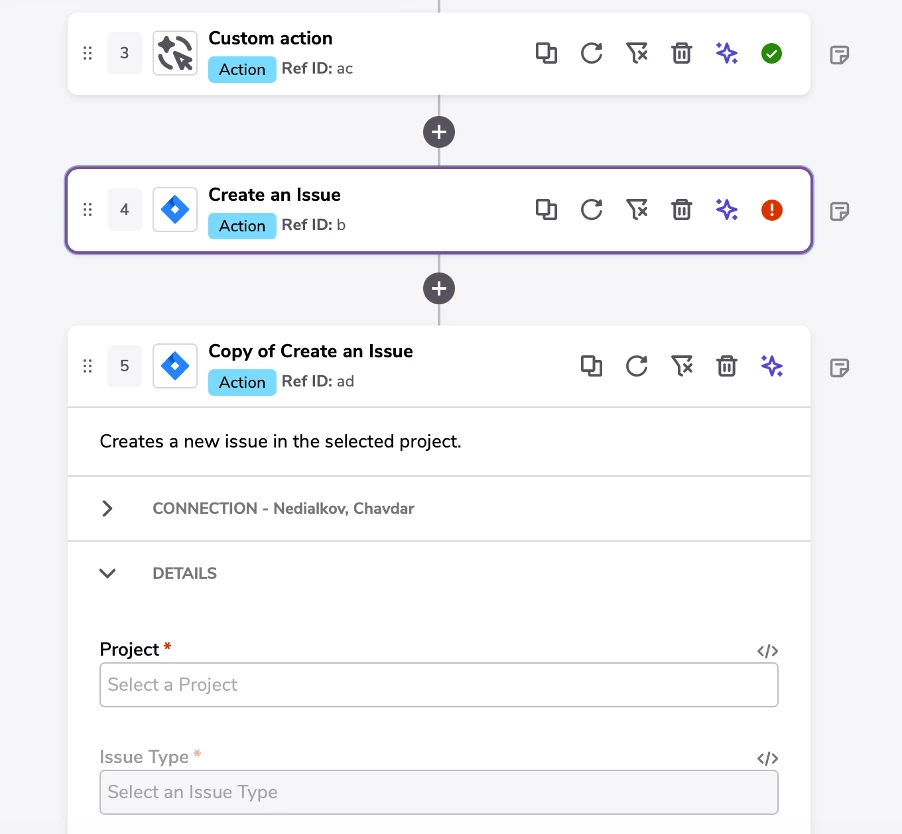
 

A few other things we fixed…


  1. Safer deletion for connections in use: Deleting a connection that pipelines rely on now shows how many pipelines are connected and asks you to type YES before anything is removed. 
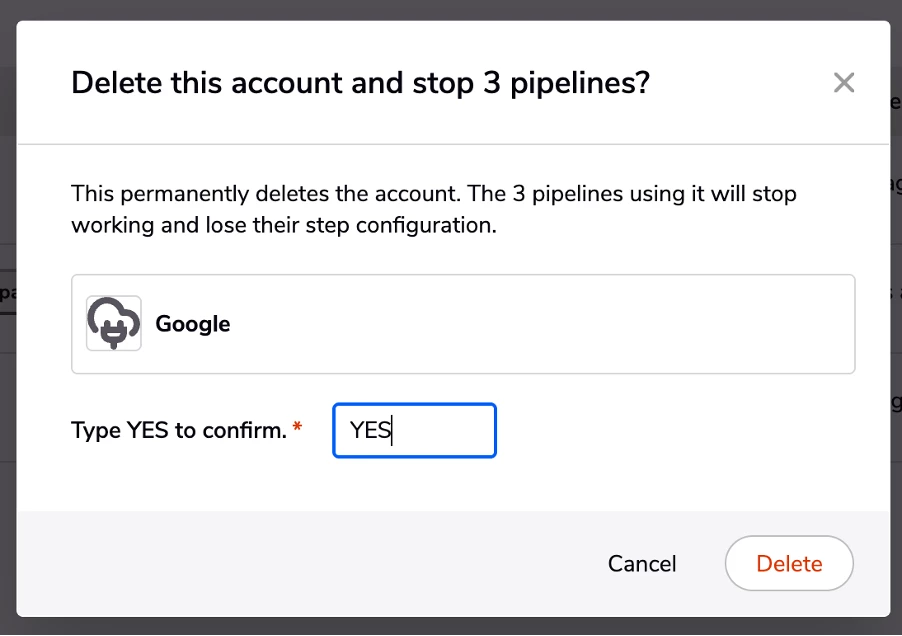
 

  1. More reliable AI Actions custom action steps: Some pipelines could stall or fail while waiting for a custom action result. We’ve fixed the retry issue behind these interruptions. Shipped October 20. 


Your turn... 


I want to hear from you -- really! In the comments, tell me the one small thing in Pipelines you’d like to see fixed? This is how the duplicate step fix got on our radar. Your idea could be in next month’s post. 

Question: What small thing in Pipelines would you like to see fixed? 

3 replies

Forum|alt.badge.img
  • Observing
  • Oct 26, 2026 5:02 PM UTC

There is 2 things I want - 

  1. Tags will sometimes not work at all - you can email me if you want a video snip of this happening
  2. Add the ability to use tags and channels together to find a pipeline. Right now, you can only use one or the other. 

Thanks for all the updates! I noticed them and I appreciate them! 

Shmuel


cnedialkov
Forum|alt.badge.img+2
  • Author
  • Qrew Member
  • Oct 27, 2026 7:40 AM UTC

Thanks so much ​@SamL , it’s great to hear the updates are landing! Both points are really helpful. I’d love to follow up to understand more. I’ll send you a direct message to connect.


Forum|alt.badge.img+6

I love how you guys are focused on user-initiated issues.

Here are a few I’d like to see:

  1. When selecting fields in “Fields to update”, the user can click on multiple fields at once to add. But if there are 1000 possible fields and the user wants to filter by typing in the first few letters to narrow the list down, then select one of them, the box disappears once the first field is selected. To select another, they need to again type in the first few letters to narrow the list down, then select another field. It would be great if the system allowed multiple selections after filtering.
  2. In a Condition step, a Filter, and when selecting a field as a source of data (and possibly others), when making the selection, the list of available fields is not sorted in any meaningful way. Looks completely random. It would be great if this was sorted A-Z so it’s easier to find what we’re looking for.
  3. Ability for users to Narrow/Widen columns on My Pipelines screen. Right now they are set and cannot be adjusted (unlike normal reports). I use a laptop and put one Chrome tab on the right, one on the left. The pipeline Name field shrinks to about 10 characters while Last triggered and Next Run are much wider. It’s impossible to tell what pipeline I’m looking for. I know you can turn off/on columns but this is much quicker.
  4. When selecting a date in a calendar popup in a filter, make the calendar disappear once a date is selected. Right now we need to click somewhere outside the popup to get it to save. When selecting a multiple choice field or a checkbox as a filter, once the value is selected, the selection box disappears. Make the date field match this.
  5. When a text field is selected in a filter, it defaults to “starts with”. I would think that most people either use “is equal to” or “contains”. I’m not sure if I’ve ever used “starts with”. Would be much more efficient if the selection defaulted to “is equal to”.

Thanks again!