
Filter by product

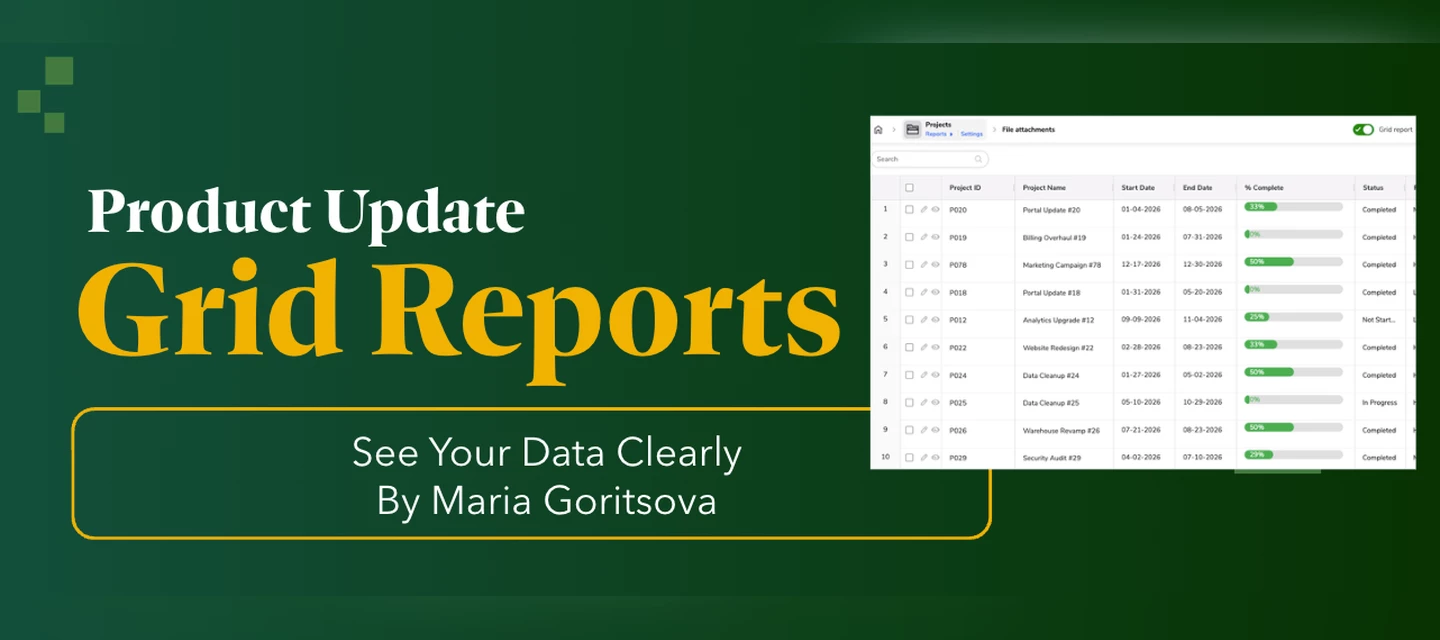
Grid Reports - See Your Data Clearly

Grid Reports - See Your Data Clearly

We built grid reports with one goal in mind: working with your data in Quickbase should feel as natural as working in a spreadsheet. Grid reports are the new version of Quickbase table reports. We launched them in May, and you can turn them on per app in App Properties. New apps have them on by default.  Where We StartedPicture a project manager opening her team's task report on a Monday morning. Here's what grid reports gave her from day one: Spreadsheet-like editing: she double-clicks a cell to edit it, fills a status down a column, copies and pastes values, and pins the Task Name column so it stays in view as she scrolls. Column filters with nested queries: she narrows down to exactly the tasks she needs, right from the column header. Fully editable embedded reports: the same report sits on her project dashboard and project forms, and she can edit it there without leaving the page. Faster load times: speed came up a lot in customer conversations, especially for big reports. Grid reports load about 10% faster on average. Inline child records: when a new project comes in, she adds its tasks while she's still creating the project, before she even saves it. Those features were the foundation. Since then, we've kept listening to how people work in their reports, and grid reports are where all our new report work happens. Here's what we've added. Row Numbers: Know Exactly Where You AreThe first thing we heard was simple: "I can't tell which row I'm on." "The one about halfway down" doesn't help anyone in a long report. Grid reports now show each row's position in the current view, so our project manager can message a teammate "check row 42" and they land on the same task. Row numbers also give her a quick sense of how many records the report holds, and numbers stay in sequence even in grouped reports.How to turn it on: Row numbers are on by default for all grid reports. To change the default for a table, go to Settings > Reports & charts > Reporting defaults > Default report settings. To change a single report, open Customize report and pick Show, Hide, or Default (which follows the table setting).Learn more about row numbers Inline Error Messages: Fix Problems as You GoOur project manager often updates 20 or more rows in one go. Customers told us that in moments like this, they want to know about a problem as soon as it happens.Now, when an edit doesn't meet a field's requirements, such as a required entry, a date format, a character limit, or a unique value, the grid report marks the cell and adds the error to a running list. Each entry tells her the field, the row number, and what to fix. She can keep editing while errors are open, and she saves once everything is fixed. Errors that only show up at save time, like duplicate values, join the same list.The error list appears where it makes sense for each report: Standalone reports: in the toolbar. Dashboards: at the bottom of the embedded report. Forms: in the embedded report's toolbar, next to Add new record. How to turn it on: No setup needed. Inline error messages work automatically whenever you edit a grid report.Learn more about editing errors File Attachment Editing: Manage Files Right in the ReportOur project manager's team attaches specs, contracts, and screenshots to tasks, and several customers asked to manage files like these without opening each record. Now she can upload, replace, and manage files without leaving her report. File attachment editing works in standalone reports, report and search widgets on dashboards, and reports embedded on forms and sub-forms.Here's what she can do: Upload, replace, delete, restore, and lock files. Drag and drop a file onto a cell to start editing right away. Undo and redo file changes. Spot file types quickly with icons for PDF, Excel, Word, and video files. Find all file actions in one menu when a column is narrow or a file name is long. We also built in safeguards, because files are heavy and mistakes are costly. She gets a warning when her unsaved changes, files and text together, reach 80% of the save limit. If she goes over, Save turns off until she removes some changes. Files a teammate has locked stay protected until they're unlocked, just like on forms. And clear messages explain what to do for required fields, restricted fields, and files over 100 MB.How to turn it on: File attachment editing is on by default. Any file attachment field in a grid report is ready to edit.Learn more about file attachment editing Dynamic Row Height: Read the Whole Note in Every RowFixed row heights keep a report tidy, and for most data that's what you want. Our project manager's team writes longer notes, though, and teams like hers asked for a way to read the whole note without opening the record. With dynamic row height, each row grows to fit the content of one text column she picks, up to 650 pixels tall. She chooses the Notes column, and every row now shows the full note while the rest of the report stays easy to scan.How to turn it on: Go to the report settings page, or to the table's default report settings. In Default row height, select Dynamic row height. Select the column that should set the row height. You can pick a text, multi-line text, or rich text column, including formula versions of each. Save your changes. Dynamic appears in the Row height menu once it's set up, so anyone can switch to it anytime.Learn more about row height What's NextWe're not done. Every one of these updates started with something our customers told us, and we want to keep hearing from you. Turn on grid reports in App Properties for any app, try the new features, and let us know what you think.

Related products:Quickbase
Inside Pipelines: September Improvements from the Engineering Team

Inside Pipelines: September Improvements from the Engineering Team

Some of the most useful changes are the ones that stop a small mistake before it turns into a bigger one. A trigger that can never fire. A connection deleted a little too quickly. A copied step that lands in the wrong place. None of these are dramatic on their own, but each one costs you a few moments of “wait, what happened?” That’s exactly what Delightful Pipelines Day is for. Here’s what we tackled in September.  Trigger event toggles that explain themselves tweaked by ​@MarinTakanov The On New Event and On New Bulk Events toggles could both be switched off. That left your trigger with nothing to listen for, and no hint about what went wrong. Now at least one toggle always stays on. When only one is left, it locks in place with a short note underneath explaining why. The last toggle left on locks in place, with a note explaining why.  A Table type in the JSON Schema builder smoothed out by ​@DzhemSS  Describing tabular data in the JSON Schema builder, like a list of rows that each have their own fields, meant adding a List and then nesting an Object inside it by hand. Every time. The new Table property type builds that structure for you in one step, so you start from a ready template and just add your columns.  Pick Table and the List and Object structure is created for you.  Duplicated steps now land where you expect polished by ​@rmilushevqb  You duplicate a step, and the copy shows up above the original. Now there are two identical steps side by side, and you have to drag one into place while keeping track of which is which. This one came straight from customer feedback. Duplicated steps now appear directly after the original, right where you’d keep building.  A few other things we fixed… Safer deletion for connections in use: Deleting a connection that pipelines rely on now shows how many pipelines are connected and asks you to type YES before anything is removed.  More reliable AI Actions custom action steps: Some pipelines could stall or fail while waiting for a custom action result. We’ve fixed the retry issue behind these interruptions. Shipped October 20.  Your turn...  I want to hear from you -- really! In the comments, tell me the one small thing in Pipelines you’d like to see fixed? This is how the duplicate step fix got on our radar. Your idea could be in next month’s post. Question: What small thing in Pipelines would you like to see fixed? 

Related products:Quickbase
October 2026 Release Enablement
Sept 2026 Release Enablement
August 2026 Release Enablement
July 2026 Release Enablement

July 2026 Release Enablement

Learn about the most recent updates to Quickbase, right here: Highlights include: ALM - Dev & Test Rebase In a Dev/Test/Prod setup, if a new QBL (Quickbase Language) version is released, the Dev and Test environments need to be updated to match the latest production schema. The new rebase flow handles this automatically. You no longer need to manually reconfigure parameters, users, or data in lower environments.Release Notes Record 5-minute authentication cache This means that if a user token or app token is deactivated or a session is revoked, it may take up to 5 minutes to fully take effect rather than being immediate. Release Notes Record New Performance Insights for Document Creation and Custom Emails When a document or custom email takes longer than expected to process Performance Insights surfaces a recommendation so you can take action. Help articleRelease Notes Record Custom Access Denied Messages Previously only appeared when users without permission tried to access app-level pages (like the app dashboard or app settings pages). Now, they also appear when users try to access table-level pages (like forms, reports, or table homepages). Custom access denied messages also now accept basic HTML formattingHelp ArticleHelp Article: HTML TagsRelease Notes Record Report Totals and averages Non-grouped reports now show totals and averages as soon as they loadRelease Notes New Distance() Formula Function Calculate the straight-line geographic distance between 2 locations using their latitude and longitude coordinates with the following formula syntax: Distance(Number lat1, Number lon1, Number lat2, Number lon2, Text unit)Release Notes Record Pipelines Error handling Use the Handle Errors block to define what happens when a step fails—route to custom On Error or On Success branches, silently ignore failures, or capture error details to power rich notifications Release Notes Record Pipeline run previewPreview a specific pipeline run Release Notes Record Nested lists - Release Notes RecordWork with nested lists in pipeline steps—no extra Jinja expressions needed!Release Notes Record Pipelines searchSearch pipelines by app and table IDRelease Notes Record Connection CentralChoose which columns display in your pipeline listRelease Notes Record Pipeline fields Pin additional pipeline fields Release Notes Record   View and/or search the complete Release Notes App

Related products:Quickbase
June 2026 Release Enablement
May 2026 Release Enablement
April 2026 Release Enablement

April 2026 Release Enablement

Learn about the most recent updates to Quickbase, right here: Highlights include: AI Announcments QBAI does the work for you:- Analyzes your data- Generates insights- Writes Jinja expressions- Answers your app questions- Admin Console "AI Controls" added- Permissions to control AI feature access- Audit Logging of AI ActionsRelease Notes App Record Fastfield Asset & Team Tracking shows- Real-time mapping & activity- Monitor equipment locations- Track technician activity- Dispatch work from the map- Manage check-in & check-outRelease Notes App Record Security Web crawlers will no longer index sign-in pages Individual apps will still be indexed when open to the internet & the app search property is setRelease Notes App Record App Creation New dialogue window with ALL the options in one placeRelease Notes App Record Quickbooks heads up: If you used Pipelines with Quickbooks you should know: - Quickbooks is changing their API- Multi-currency transactions will be impacted- Only currencies enabled in your Quickbooks Company settings will be returned after the change- Previously exchange rates for all countries were available, regardless of settings- If you do not update your Quickbooks settings before Apr30 your Pipelines to Quickbooks will likely lack an exchange rate or fail all togetherRelease Notes App Record Pipelines Field mapping now returns more details about the field 'Import to Quickbase' Step will bulk import query results as new records to the app destination of your choosing You can now open any field in the Pipelines Step and freestyle some Jinja codeRelease Notes App Record Search the complete Release Notes App here Pro Tip: Filter for records where [Released On] equals this month.

Related products:Quickbase
March 2026 Release Enablement
Feb 2026 Release Enablement
Jan 2026 Release Enablement
Dec 2025 Release Enablement

Dec 2025 Release Enablement

Life comes at you quick; releases come at you quicker.It's time for your December 2025 Release enablement! Between you and me: Does reading exhaust you too? Listen to the most recent updates to Quickbase, right here: Highlights include: New Look; Same SaaS.  Refreshed colors, fonts, icons, spacing and layouts! With all the updates we've been making to Quickbase's functionality and performance, we felt it's time to give the site a fresh coat of paint to make everything feel as fresh and innovative as it is powerful Manage custom pages or use our CSS classes?If you prefer the old look, we have made legacy versions of our CSS formatting so it's still accessible just by adding the word "Legacy" to your name.  "Vibrant Primary" becomes "VibrantLegacy Primary" That is "VibrantLegacy" as one word, a space, then "Primary" New options for Admin console Connected Tables You'll be able to have better visibility in how your realm is accessed and used. EOTI (everyone on the internet) Now has improved clarity when assigning EOTI to a role More granular control of inline editing permissions on a table by table basis Performance Enhancements improvements to... derived fields grid reports adding fields in pipeline steps Under the Channels page, you can now see a new Permissions tab to help you keep track of what you have given Pipelines permission to do. The UI spacing options (relaxed / normal / condensed) available in forms now also apply to embedded reports, allowing users more control on how the table grid is displayed on forms. The Address field popover, now behaves. Honestly there is a bunch more written here in our notes, but... yeah it really can just be summed up by saying it now actually behaves. View the Release Notes App Tune in next year and see if I remember to update the year on my intro slide. I'd give myself about 50/50 odds. Q.B. OUT!

Related products:Quickbase
Nov 2025 Release Enablement
Oct 2025 Release Enablement

Oct 2025 Release Enablement

If a quick summary is what you need,in under 3 minutes I will walk you through the most recent updates to Quickbase, right here: Highlights include: New getRoles API Call Retrieves all of the roles for an application. Requires admin access to an app. https://developer.quickbase.com/operation/getRoles  Allow Crawler Traffic Crawlers can only access data that’s available to the EOTI (everyone on the internet) role. Quickbase never returns data that a role doesn’t have permission to view. https://help.quickbase.com/docs/security-policies Data Analyzer Data Analyzer is an AI tool that predicts the likelihood an outcome will occur for each record in your table. Generate predictions to analyze Quickbase data, and view results directly in your table to better understand trends and drive decisions. https://help.quickbase.com/docs/data-analyzer  Pipelines Outlook Channel New Data Available Event "Created at" and "Updated at"https://help.quickbase.com/docs/microsoft-outlook-channel Pipelines Step Notes Indicator Flags when you capture important details about a step within your pipelineshttps://help.quickbase.com/docs/add-a-note-to-a-step  Mobile App barcode & QR Scanner Now in the NEW form experience!https://help.quickbase.com/docs/barcode-scanning-on-legacy-forms-on-mobile  Advanced Pipeline Step Filter Use Jinja and metadata in your filtershttps://help.quickbase.com/docs/use-the-quickbase-channel#advanced-query  View the Release Notes App

Related products:Quickbase
Sept 2025 Release Enablement

Sept 2025 Release Enablement

Life comes at you quick.Releases come at you quicker. Welcome to the September 2025 Release Enablement here at Quickbase As you might have heard, our new Release Notes App is going to keep you informed, but you are a busy person, doing busy person things. May I suggest taking a listen over at my release enablement to get a quick, informative, and often comical breakdown of what has changed this month in our humble Base of Quicks. In under 5 minutes you can listen to my soothing baritone* walk you through the recent changes. Highlights include: AI-Powered Help Right in Tech Support Quickbase AI has officially joined the support squad. When you access the technical support portal, you’ll now see AI help suggesting articles and troubleshooting tips. Don’t worry—our friendly, knowledgeable flesh and blood human support team isn’t going anywhere and are still here to work on your cases. 15 new chart and reports  to use Donuts, Bullets, Heatmaps and so much more! Performance increases for both formula queries and apps being read into memory These are the types of things that can pay off big in larger apps. Pipelines Channel Accounts update Lets you manage all the external accounts your pipelines are using. Also shows the all the pipelines that an account is tied to. You can now also add account alias to better keep track of your accounts.  All this and much much more, so please consider checking out our Release Notes App if you want all the details, but if a quick summary is what you need, you can listen to my break down right here: * Note: (Highlight to read)How soothing my baritones are is a matter of opinion... I'm not even sure if I have baritones, as I'm very very tone-deafHow soothing my baritones are is a matter of opinion... I'm not even sure if I have baritones, as I'm very very tone-deaf

Related products:Quickbase