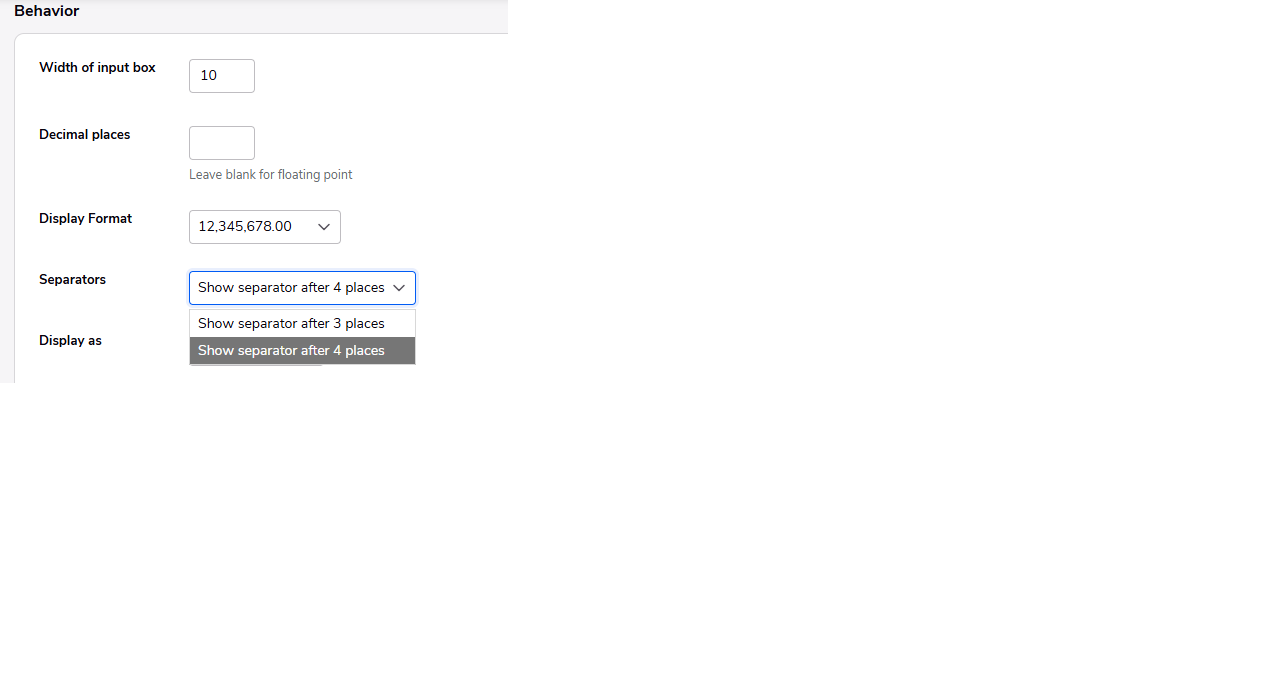
Numeric Fields Show Separator After 4 Places
Curious to get other's thoughts. We have not enabled the new Grid Reports in our primary application. We have one application used by a small group that does have new Grid Reports enabled.
This application (with Grid Reports enabled) has summarized data from our primary application. I was updating the data today and noticed the totals have the comma separator after 4 places. So, 100000 is displayed as 10,0000. When last updated, I'm pretty sure the comma separator was after 3 places.
I see in the field properties a select of Show separator after 4 places or Show separator after 3 places. This appears to be a new option with the default of 4 places. For all the numeric fields, I'll need to manually change to 3 places.
I could not find anything in the release notes about this option. Has anyone seen anything related to this? Is there any way to change the default to 3 places? I have a feeling this is going to be overlooked quite a bit when adding new numeric fields.
FYI - This is from Quickbase Support:
This is to inform you that we will be escalating this matter to product for a change. The problem we discovered with classic reports is that the default setting, which is set to "after 4 places" was never respected, so users were seeing the standard format. When we launched the new grid reports, the bug was resolved, but now when the default settings are respected it is showing the values in the format "after 4 places", that's why users have the feeling that this suddenly changed.