Form Rules Problem With Hiding/Showing Pages
Hello,
I've really been having a lot of problems with this, and I'm hoping you will be able to help.
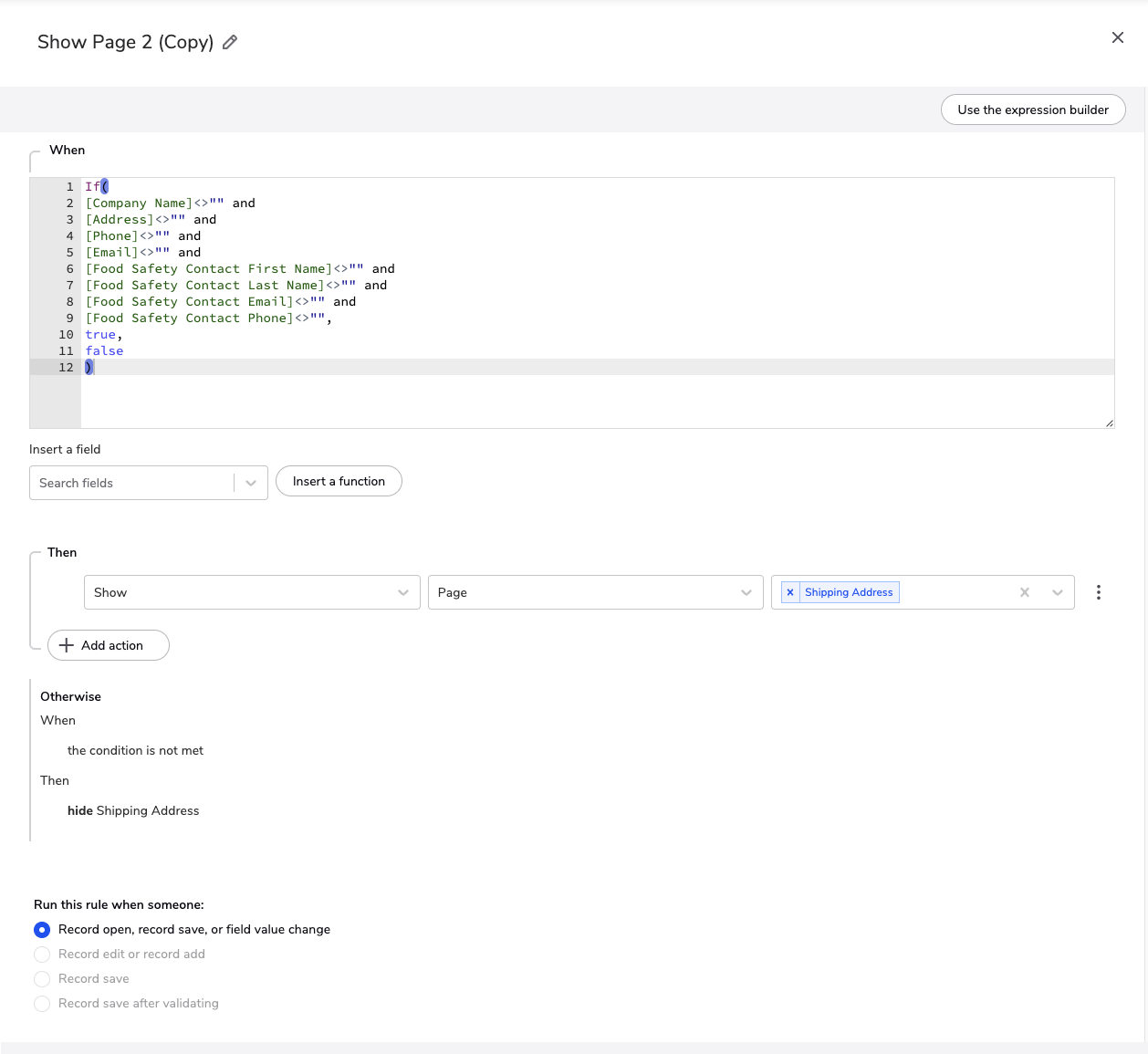
I created a form with 8 pages, to display pages as steps so customers can move from one page to the other after they have completed the current page, but when testing I discovered that an applicant can move from one page to the next without filling in any information in the fields, including fields designated as required fields. To prevent this, I created form rules mandating required fields to be filled in otherwise the all the subsequent pages would be hidden until all of those required fields are no longer blank, but that was not working properly. I previously built this out in the the expression builder, but during Office Hours I was recommended to try doing it in the formula builder, so this is what I now have (see attached Screenshot 1).
What I really would like is for the form to prevent an applicant from being able to move from the current page to the next page unless all required fields on that page have been properly filled in.
I also have a Cash Customer rule on page 3 if someone chooses "Cash/Credit Card" in the Request Terms field, I want to hide and unrequire pages 4-7 and have them jump straight to page 8 (pages 4-7 are not required for Cash/Credit Card customers), but if they choose "Credit Terms" then they need to progress through pages 4-7, but for some reason it's not working either and is causing conflicts with the other show/hide pages rules I'm trying to get working. (See attached Screenshot 2)
On the advice of our esteemed Office Hours Sherpa, I created a simplified test form with only 3 pages, and created a form rule to hide page 2 unless all required fields on page 1 are filled in (see attached Screenshot 3). I also did the same Cash Customer rule as a test on page 1 so if "Cash/Credit Card" was selected it should skip page 2 and jump them straight to page 3, but if "Credit Terms" was selected it should progress them to page 2 (see attached Screenshot 4), but I can't get the form rules to work for this test form either.
Your help would really be appreciated. Thank you.