Placeholder Users
In our main app we have around 4,000 placeholder users in addition to our regular and denied users. ~8 of them have actual names of real users. Most of them are simply a random number like this: ""-527502726"". I had contacted support and they were unable to tell me much about placeholders other than they are possibly imports that have gone bad in some way. They told me it is impossible to know where they are coming from or what created them as they do not have any kind of tracking in the system for this. That was a little surprising to hear. Their suggestion was to just remove the placeholders. We eventually did this. Thursday of last week I removed them with the big "Remove Placeholders" button on the manage users tab next to Home and everything was good. I came in today and all 4k placeholder users are back in the user list. I have reached out to support again but because of the fact that they could tell me nothing about them previously I am hoping someone in the community has dealt with this in the past and may know what could be creating these or even bringing them back all at once. I know you may not be able to tell me exactly where to look but even a hint at what could be the cause may help us track it down. What we have done so far is we have looked through every single user field in the app and were able to find one field that contained 4 or 5 of these users in them, but only the named ones not the random numbers. Past that no user field in the app contains any of the other 4,000+ users. We leveraged the App Library to create reports of all user fields to check this. We have checked our automated imports and as far as we can tell nothing is wrong with them. We use the email associated with the Quickbase account to import users when needed. Any help is very much appreciated on this. I am at the end of my rope here and don't know what else to check.105Views0likes3Comments
Coping with EntraID username change
We have our windows ad users synced to quickbase via Azure AD/Entra ID and it is working fine but have run into our first snag which I haven't found anything directly addressing. We had a user change her name and we have updated it in on prem AD which synced to Azure AD. Everything appears to be working normally for a week except for quickbase. She went through the sign in process in quickbase which pushed her to the identity provider sign in, the Azure sign in window comes up and she signs in successfully with her new email address and password. But then in quickbase she has no access to anything. Looking into user management it appears that Quickbase has generated a new user with her new email address, it still says "External authentication ID: <her new email>" so I assume that it's imported through provider management as usual however it did not transfer her paid quickbase seat or any of her app access or groups. My read on this is that quickbase is using the primary email as the unique identifier instead of the azure object ID (looks like xxxxxxx-xxxx-xx...) and so it just thinks she's a totally different person. Does anyone know of a workaround or best practices article for this if it happens in the future? We can manually recreate her permissions and move her license but it's kind of a hassle, and she'll lose any history tied to her old account which is now orphaned as she can't log into it using single sign on anymore.Solved308Views1like4Comments
Automatically add new user to user table
I was wondering if there is anyway when I add a user, that the user could also be automatically added to a table? The reason I would want this, is that I'm bad about remember to add the new user to my user table. Because QuickBase won't allow you to use a users role in reports, I had to create a duplicate user table. Thanks, Carol ------------------------------ Carol Mcconnell ------------------------------165Views0likes5Comments
Users Last Visited Date On My Employee (resource) Table?
Hey Community, Do you have a way of using a formula field so I can reference the user Table and pull in the "Last Visited" value into my employee table within my app? I have a user Ref. field on my table and I use it to assigned Project, Tasks, Approvals, Etc. to my users. I see that we have a last visited value on the user table on the backend of the system Anyway to reference that last visited value inside of my app? Thank you! ------------------------------ Jack Woods | Low Code 4 Lyfe ------------------------------92Views0likes6Comments
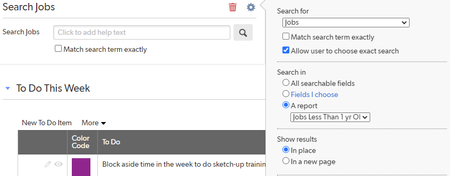
Home Page Search Bug
Hi everyone, I'm having a bizarre issue with the home page search function, and I'm not finding any other reference to anything similar on the community. Apologies if I missed another discussion already posted about this. I have a search bar on a home page that is supposed to search and display results based on a certain report. For my admin role, this works perfectly. But for every other user, it defaults to the reporting defaults for the table and searches every single record regardless of the filters applied to the report. Has anybody else experienced this? I did also have a user test it for me on their account to verify that it isn't some strange thing that happens when I "test as user." #Apphomepages #Search #Userandgroupmanagement ------------------------------ Elena Larrabee ------------------------------Solved232Views0likes4Comments
Default User Search
Is there any way to find any user fields where I have a certain default user? I tried searching in the App Mgmt and it didnt work, unless maybe there is a trick to the syntax when looking for a default user? Essentially, someone is leaving the company and I need to make sure they arent the default in any user fields. ------------------------------ Mike Tamoush ------------------------------14Views0likes0Comments
Custom new user email
Has anyone figured out how to do a custom new user email? I know I can use API_SendInvitation to modify the text, but that doesn't allow me to remove the laptop graphic, change the subject line or generally customize the email. Anyone do this? ------------------------------ Jessica Feauto ------------------------------54Views0likes1CommentRemove users ability to self-serve change their name and email?
Is this possible to do? Even just stopping the email change would work if the name change cannot be prevented. Right now a user is able to go to the dropdown in the top right of Quickbase and select "My Preferences" where they are able to change their name and email in Quickbase. Is there any way to completely remove this as an option or somehow prevent users from doing changes here? A user can change their email and cause issues downstream where they do not receive emails any longer, not a Quickbase issue but the issue spawns from a change in Quickbase.141Views0likes4CommentsHow do we enable Data Labels in Staked Bar chart for smaller Values.? It is not visible now.
I have created a Staked Bar Chart with Users as X Axis & # of Tasks grouped by Status as Y Axis. For larger values, the numbers are visible, for smaller values it is not. How to enable smaller values.84Views1like4Comments